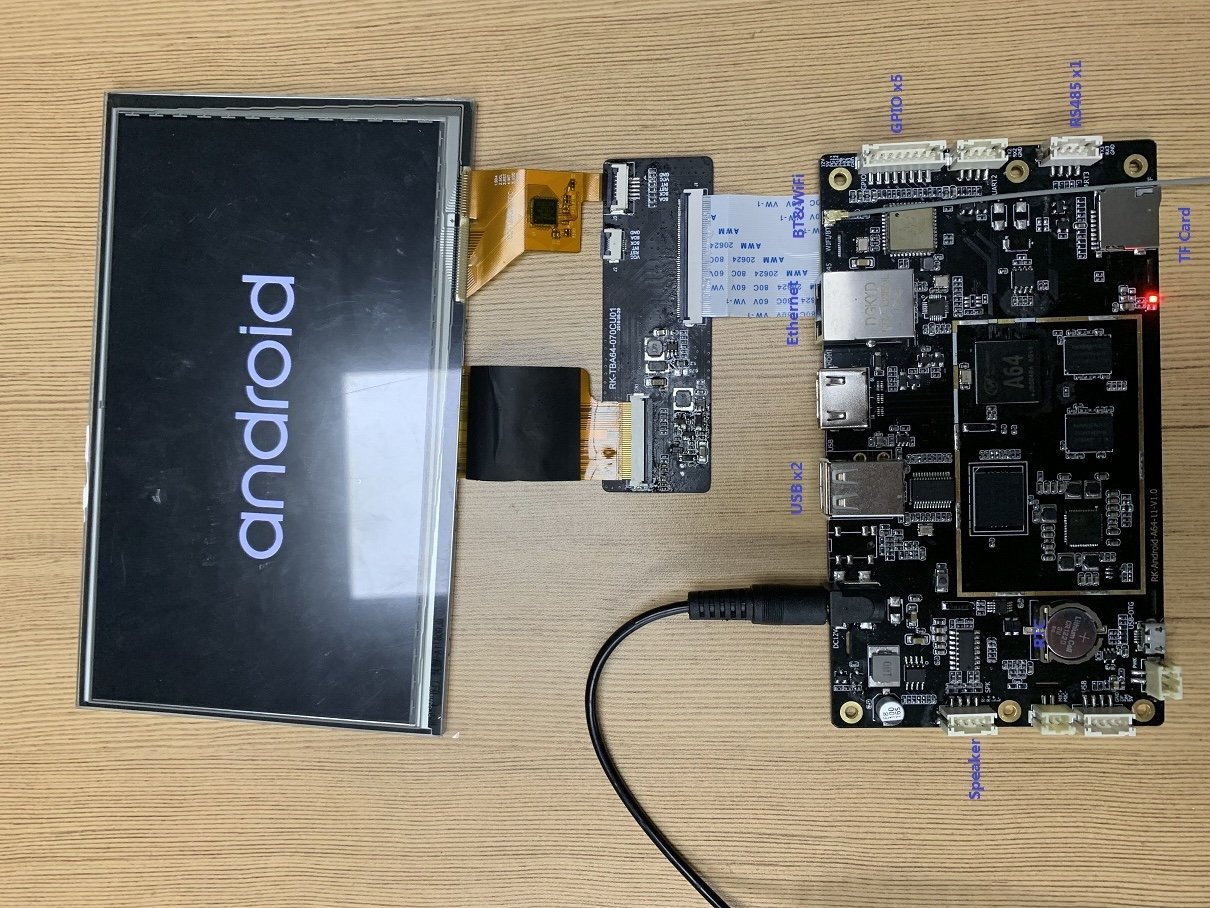
Introduction
The Rocktech RK070CU01 is a 7-inch TFT LCD display widely used in industrial and embedded systems due to its high resolution, stable quality, and LVDS interface. This guide walks through the steps to integrate the RK070CU01 with a custom embedded board powered by the Allwinner A64 SoC running a Linux-based OS.
Hardware Overview
- Display Model: Rocktech RK070CU01
- Resolution: 1024x600
- Interface: LVDS
- Backlight Driver: Usually via GPIO or PWM
- Touch Panel: Optional CTP (via I2C)
- Host Board: Rocktech SBC with Allwinner A64
- OS: Debian or Buildroot-based Linux
Step 1: Wiring and Interface Setup
Ensure the following connections between the A64 board and RK070CU01:
RK070CU01 SignalA64 Board SignalNotesLVDS_0~LVDS_3LVDS TX (CPU)8-bit or 10-bit LVDSLED+/-Backlight PowerUsually 3.3V or 5VBL_CTRLGPIO or PWM pinAdjust brightnessI2C_SCL/SDAI2C Bus (CTP)Optional for touch
Make sure the LVDS voltages and mapping match. You may need to adjust a backlight circuit or add ESD protection depending on your use case.
Step 2: Device Tree Configuration
Modify the device tree source (DTS) for the A64 to include the display node:
&lvds0 {
status = "okay";
panel: panel {
compatible = "rocktech,rk070cu01";
backlight = <&backlight>;
power-supply = <®_dcdc3>; // Adjust to your power rail
width-mm = <154>;
height-mm = <85>;
display-timings {
native-mode = <&timing0>;
timing0: timing0 {
clock-frequency = <51000000>;
hactive = <1024>;
vactive = <600>;
hsync-len = <20>;
hfront-porch = <160>;
hback-porch = <160>;
vsync-len = <3>;
vfront-porch = <23>;
vback-porch = <12>;
hsync-active = <0>;
vsync-active = <0>;
de-active = <1>;
pixelclk-active = <0>;
};
};
};
};
Ensure the kernel has panel support for Rocktech RK070CU01, or register a custom panel driver if needed.
Step 3: Backlight Control
Define the backlight node in the DTS:
backlight: backlight {
    compatible = "pwm-backlight";
    pwms = <&pwm0 0 50000 0>;
    brightness-levels = <0 50 100 150 200 255>;
    default-brightness-level = <3>;
};
Adjust the pwms line to match your actual PWM channel and period.
Step 4: Linux Framebuffer Output
After rebuilding the kernel with the updated device tree:
- Deploy the kernel and DTB to the A64 board.
- On boot, check the kernel log:
dmesg | grep fb
- You should see a framebuffer device such as
/dev/fb0 initialized. - Test output:
cat /dev/urandom > /dev/fb0
You may also use Qt or SDL2 apps with framebuffer support.
Step 5: Touchscreen (Optional)
If your RK070CU01 comes with a capacitive touch panel:
- Identify the I2C address using
i2cdetect - Load the appropriate driver (e.g., GT911, FT5x06)
- Add touchscreen node in DTS if needed
&i2c1 {
    touchscreen@5d {
        compatible = "goodix,gt911";
        reg = <0x5d>;
        interrupt-parent = <&pio>;
        interrupts = <7 5 IRQ_TYPE_EDGE_FALLING>; // Adjust GPIO
        touchscreen-size-x = <1024>;
        touchscreen-size-y = <600>;
    };
};
Conclusion
Integrating the Rocktech RK070CU01 display with an Allwinner A64-based board is straightforward with proper LVDS mapping and device tree configuration. This setup enables you to deploy a reliable high-resolution embedded GUI for industrial HMI, IoT dashboards, or handheld terminals.
If you have questions or wish to share your own use case, feel free to comment or fork this guide.