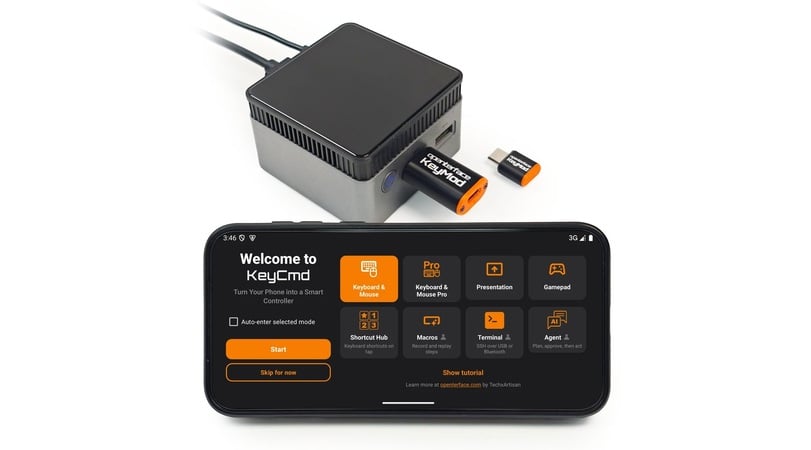
A pocket USB dongle combines standard HID input with a direct network link, allowing the KeyCmd mobile app to control computers, servers, kiosks, and SBCs over BLE or USB.
Most phones already have a touchscreen, software keyboard, wireless connectivity, and enough processing power to serve as a capable control surface. The difficult part is getting that input into another machine when it is sitting at a BIOS screen, has no keyboard attached, or is not connected to the same network.
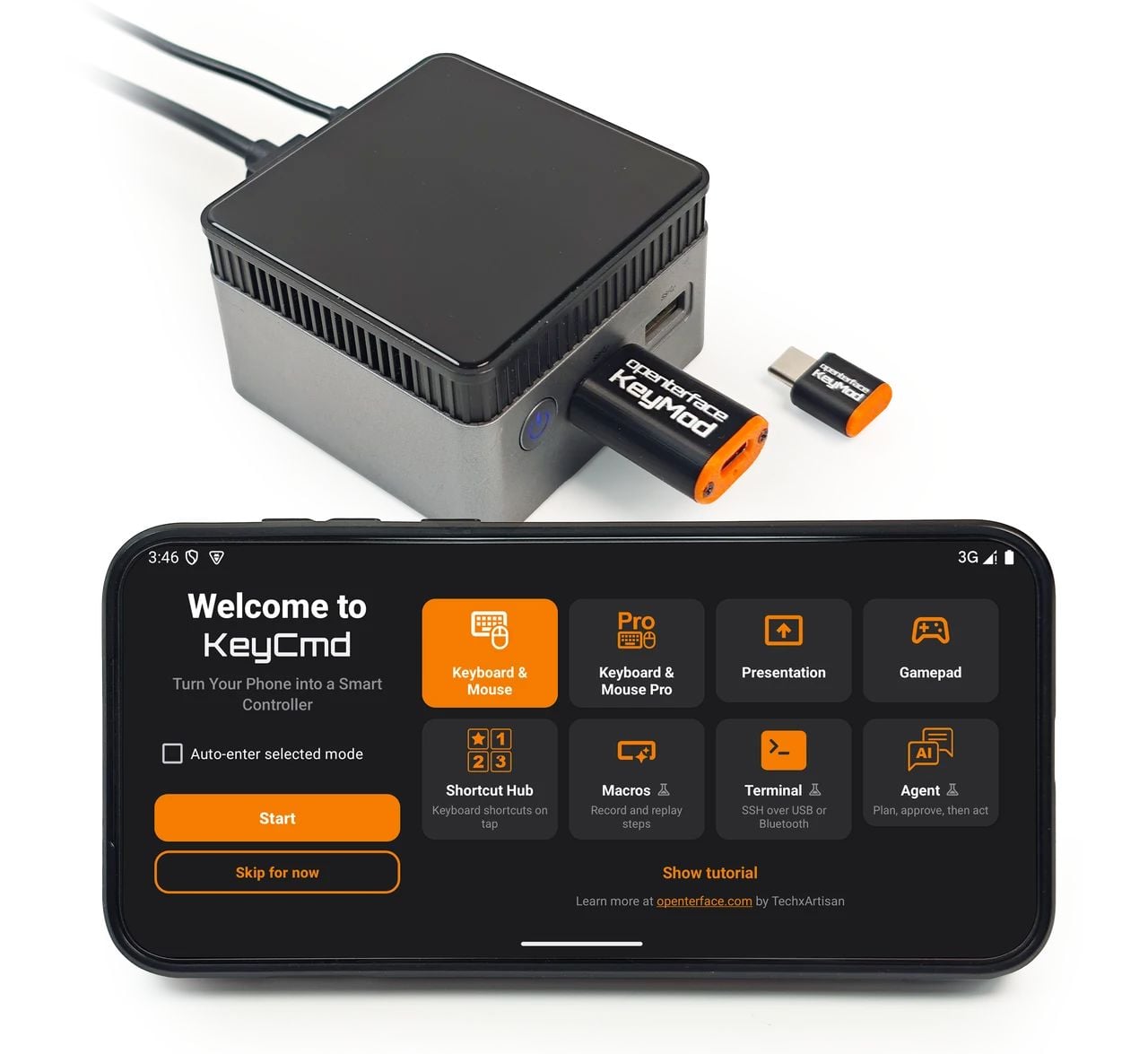
We developed Openterface KeyMod to bridge that gap. It is a pocket-sized USB device that plugs into the computer, server, kiosk, or single-board computer being controlled. The companion KeyCmd app runs on a phone and communicates with KeyMod over Bluetooth Low Energy. KeyMod Plus also offers an optional wired USB link for higher-bandwidth sessions.
The phone does not need to pair directly with the target machine. Instead, KeyMod presents familiar USB interfaces to it, while KeyCmd changes the phone into the control surface needed for the job.
Plug KeyMod into the target, open KeyCmd, and choose the control mode you need.
How the Connection Works
The basic workflow is straightforward:
- Plug KeyMod into the machine you want to control.
- Open KeyCmd on an Android or iOS phone.
- Connect to KeyMod over BLE, or use the wired option available with KeyMod Plus.
- Select a keyboard, touchpad, terminal, presentation, macro, or game-control layout in the app.
In other words: KeyCmd on the phone ↔ KeyMod ↔ target machine.
KeyMod is powered by the target’s USB port, so it does not need a battery. It is also important to distinguish it from a video KVM: KeyMod handles input and a direct data link, but it does not capture the target’s display.
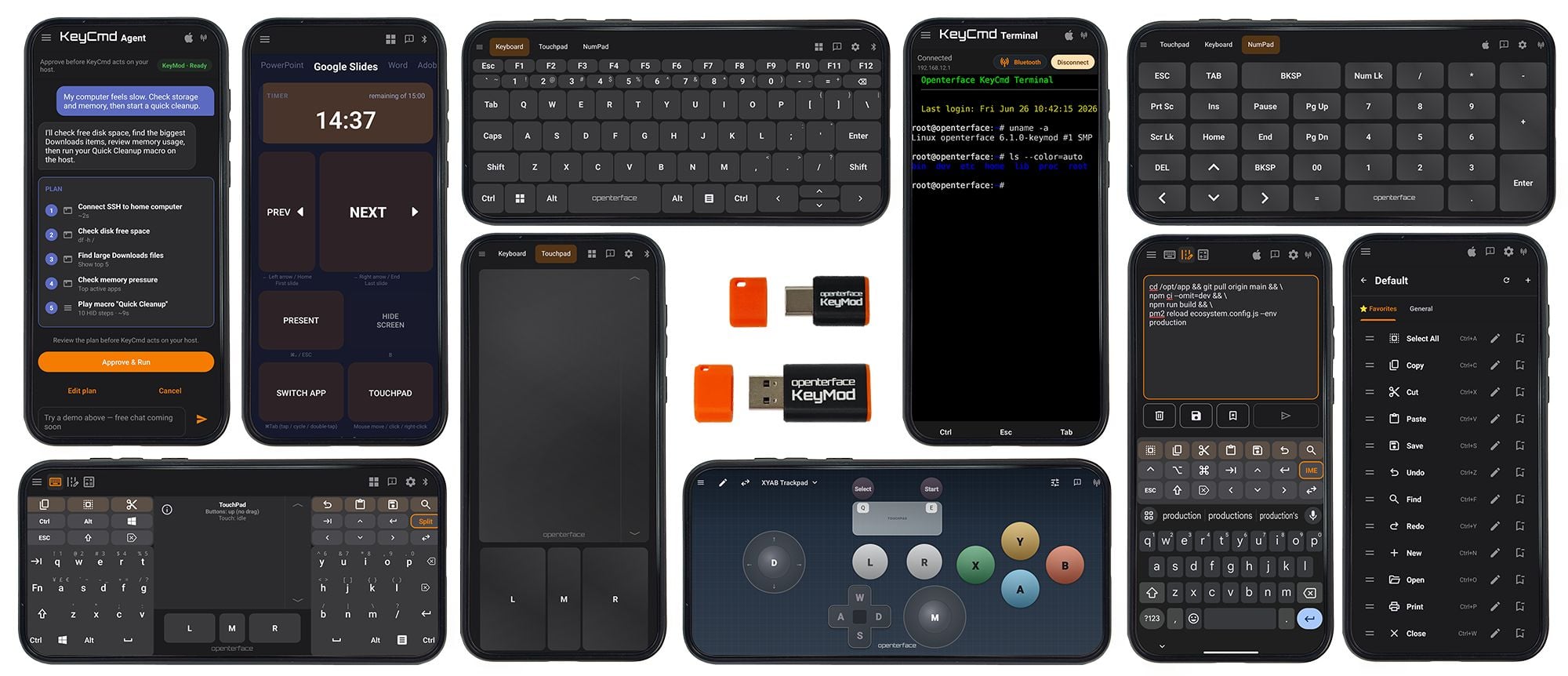
KeyCmd changes the phone interface for keyboard, touchpad, shortcuts, macros, presentations, games, and terminal access.
Two USB Functions at the Same Time
At the firmware level, KeyMod operates as a USB composite device with two main functions:
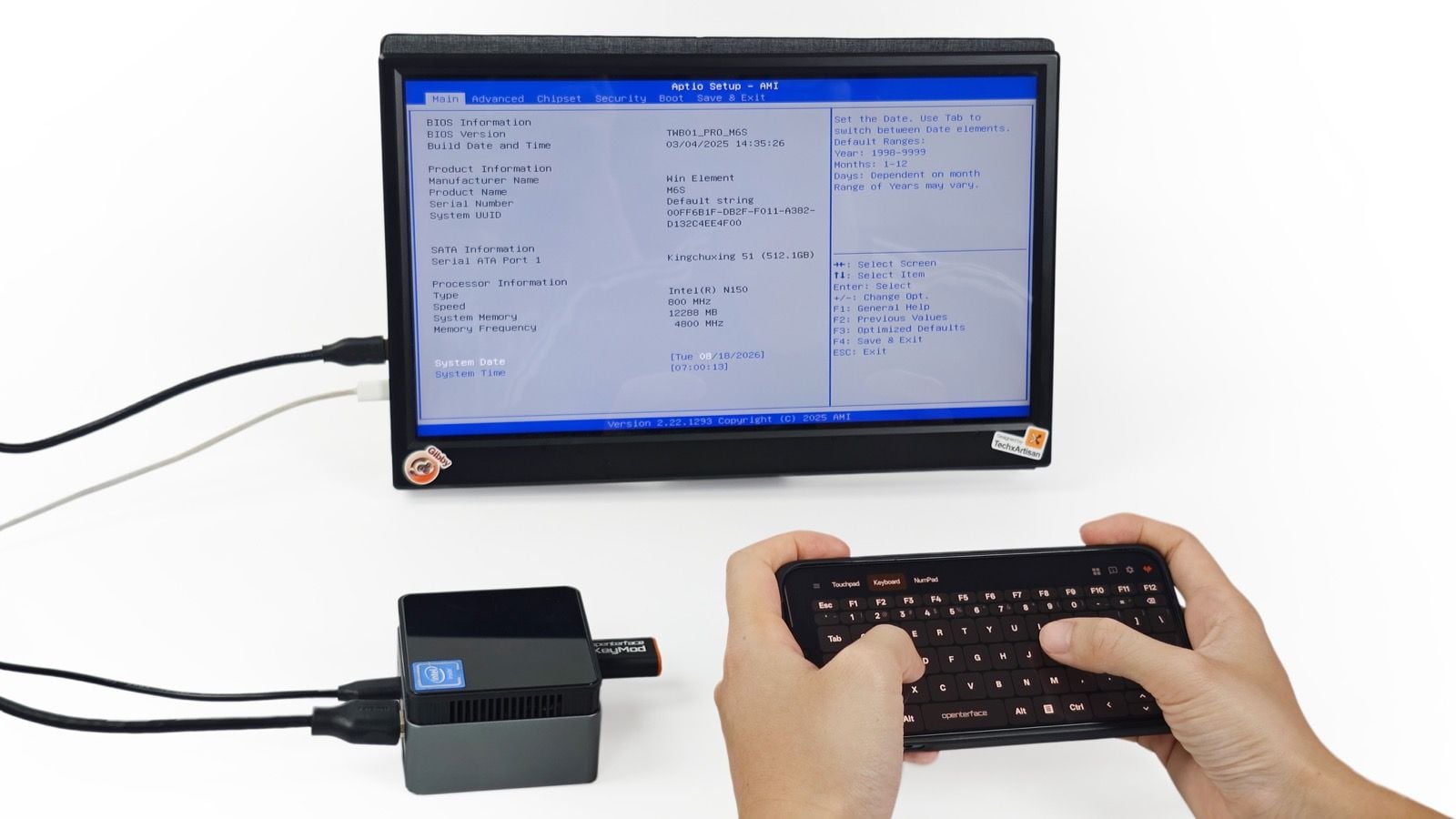
- USB HID keyboard and mouse: The target sees standard input hardware rather than a proprietary remote-control application. On systems that accept regular USB keyboard and mouse input, this also allows control before the operating system loads, including many BIOS and UEFI environments.
- USB CDC-ECM network interface: On supported macOS and Linux targets, KeyMod creates a direct point-to-point network link without requiring the target to join a Wi-Fi network or use a separate Ethernet port.
Both functions can remain active together. A user can move the pointer or type through HID, then open an SSH session over the direct network link without reconnecting the dongle.
Windows network-bridge support requires RNDIS and is still under development. The HID keyboard and mouse functions do not depend on this network interface.
Because the target sees a standard USB HID device, KeyMod can provide keyboard input at a BIOS screen without target-side software.
More Than a Phone Keyboard
KeyCmd changes its layout according to the task instead of trying to fit every control onto one screen.
The standard Keyboard & Mouse mode includes a software keyboard, touchpad, modifier keys, navigation controls, and a numpad. KM Pro adds tools for longer or repeated input.
Compose & Send, for example, lets a user draft and check a command or configuration snippet on the phone before sending it to the target as a sequence of keystrokes. This is useful when normal clipboard sharing is unavailable.
Macros provide reusable key sequences with adjustable timing, repeat, and scheduling controls. Shortcut Hub applies a similar idea to application-specific layouts for tools such as KiCad, Blender, Fusion 360, Photoshop, and VS Code.
The app can also act as a presentation remote. Its current Gamepad mode provides customizable on-screen controls for keyboard-driven games and emulators. These controls are mapped to keyboard and mouse events rather than native console-controller input.
A Direct Link for SSH and Other Network Tools
The USB network interface is what takes KeyMod beyond a conventional Bluetooth keyboard adapter.
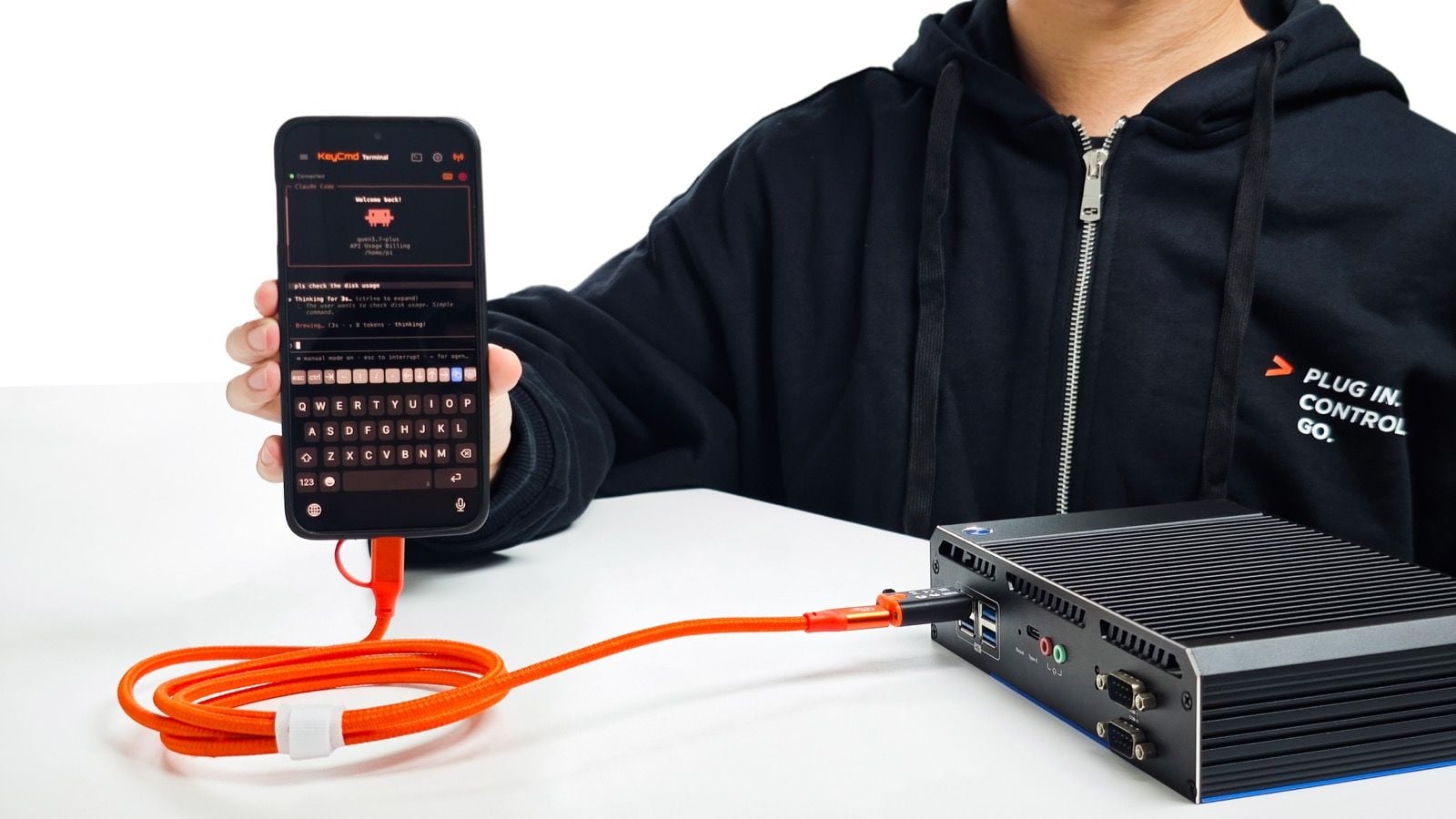
If an SSH service is already enabled on the target, KeyCmd can open a terminal session through the direct KeyMod link. This can be useful for Raspberry Pi boards, headless mini PCs, lab equipment, kiosks, and servers that do not have a convenient connection to the surrounding LAN.
The same path can carry other TCP-based tools such as VNC, scp, and rsync when the necessary software and services are available on the target. BIOS control remains an HID function, while network tools require the target operating system to be running.
KeyMod Mini carries this traffic over BLE and is intended mainly for lightweight sessions such as SSH. KeyMod Plus adds a wired phone-to-KeyMod path with higher bandwidth, making it better suited to VNC, larger file transfers, or longer sessions where a wired connection is preferable.
KeyCmd connecting to a industrial PC over KeyMod Plus’s direct network link.
KeyMod Mini and KeyMod Plus
The two versions run the same KeyCmd modes but use different connectors and controller links.
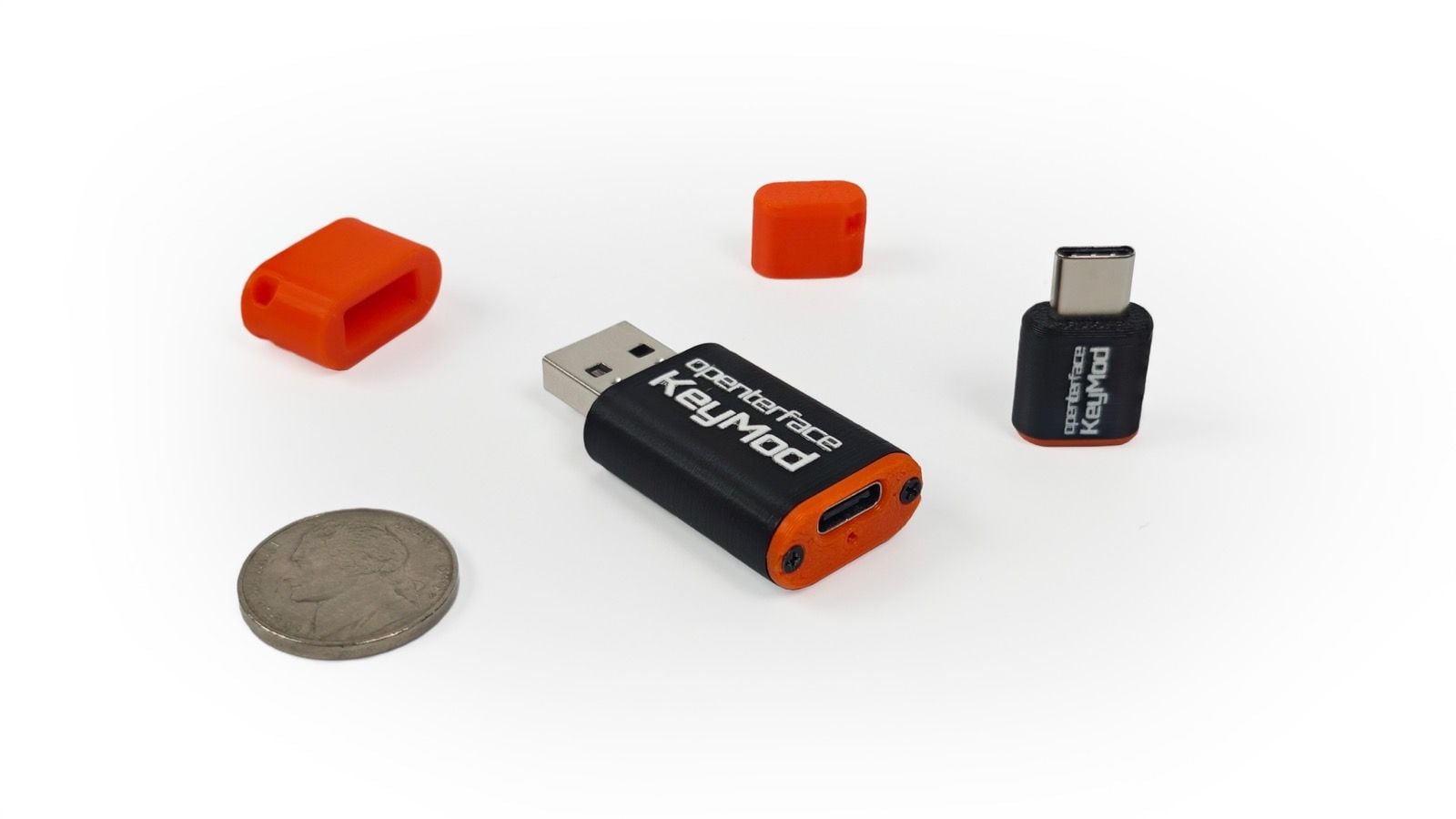
- KeyMod Mini has a USB-C plug for the target and communicates with the phone over BLE 5.3. It measures approximately 25 × 15 × 5 mm and weighs about 2.4 g. It is designed for compact everyday carry and lightweight HID or SSH sessions.
- KeyMod Plus has a USB-A plug for the target and supports BLE 5.3 plus an optional wired controller link. It measures approximately 44 × 20 × 10 mm and weighs about 8.9 g. Its wired path makes it better suited to servers, older PCs, lab equipment, VNC, and file transfers.
Suitable data-capable USB adapters can extend compatibility when the available port does not match the built-in connector.
KeyMod Mini uses USB-C on the target side, while KeyMod Plus uses USB-A and adds an optional wired controller connection.
Experimental AI-Assisted Operation
KeyCmd also includes an early experimental Agent Mode. After the user configures a supported language-model service, the app can turn a plain-language request into a proposed sequence of terminal commands, HID actions, or macros. Each step is shown for review before execution.
This feature is not required for KeyMod’s core keyboard, mouse, or network functions, and it should not be treated as unattended system administration. Generated commands still need to be reviewed carefully before they are executed.
When a cloud model is selected, the relevant prompts and context are sent to that provider. We have also tested small local models on recent phones, although their performance depends on the device, model format, and available memory.
Where the Project Stands
Small-batch hardware is currently being tested by beta users and reviewers, while the KeyCmd apps for Android and iOS continue through beta testing.
Our goal is to publish the Android and iOS KeyCmd source code after the crowdfunding campaign and release the hardware design files as the project develops. OSHWA certification is also planned.
KeyMod has already passed its funding goal on Crowd Supply, but reaching the goal is only the beginning. We still hope to receive continued support from the community, as the level of support will help us develop additional features and improvements. Both Mini and Plus pledges start at US$42, the campaign is scheduled to end on October 1, 2026, and fulfillment is currently estimated for February 2027.
Full specifications, demos, and campaign details are available on the Openterface KeyMod Crowd Supply page.