Send Real-Time Images to WhatsApp Using ESP32-CAM and Wi-Fi
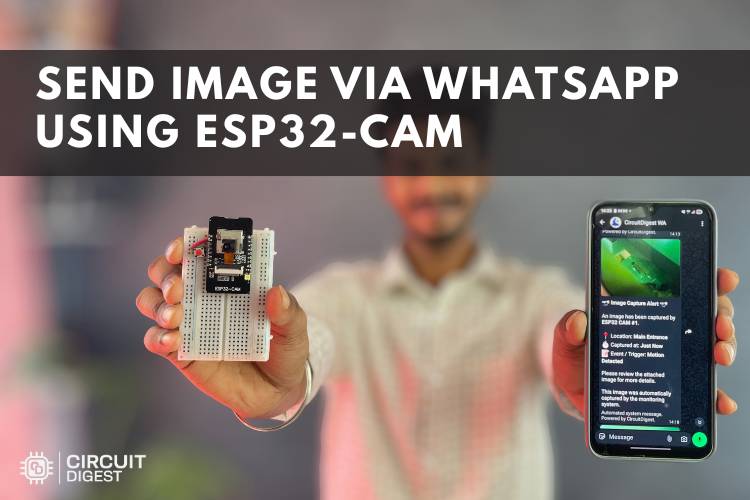
WhatsApp has become one of the fastest ways to receive alerts, updates, and real-time notifications. In this project, we build a smart ESP32-CAM system that captures an image and instantly sends it to WhatsApp over Wi-Fi. The project combines IoT, image processing, and cloud communication into a compact and practical setup that can be used for surveillance, smart monitoring, automation, and remote notifications.
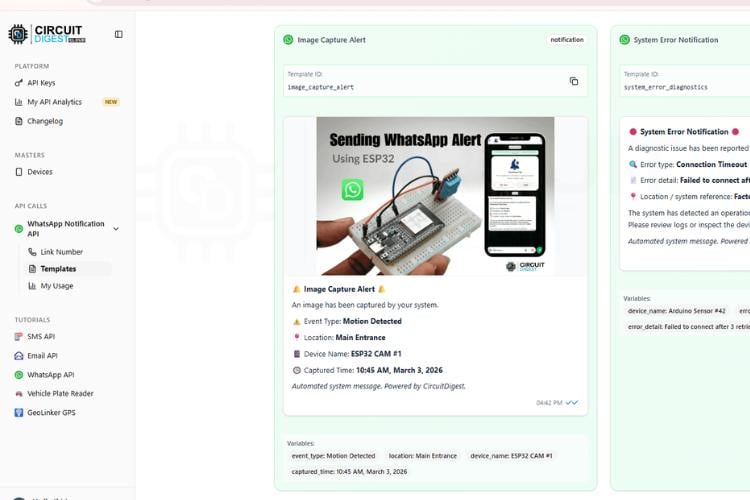
The ESP32-CAM acts as both the controller and camera module. When a push button is pressed, the board captures a JPEG image using its onboard OV2640 camera and sends it through the CircuitDigest Cloud API to a WhatsApp number. Within a few seconds, the image appears directly inside WhatsApp along with event details and timestamps.
Unlike traditional CCTV systems that require dedicated applications or cloud dashboards, this project delivers alerts through a platform people already use every day. That makes it simple, lightweight, and practical for makers and IoT developers.
Why Use ESP32-CAM for WhatsApp Alerts?
The ESP32-CAM is one of the most affordable Wi-Fi-enabled camera boards available for embedded projects. It combines an ESP32 microcontroller, camera interface, Wi-Fi connectivity, and GPIO support in a tiny package.
By integrating WhatsApp notifications, the project becomes useful for:
- Smart door monitoring
- Security alert systems
- Visitor notification systems
- Wildlife monitoring
- Industrial event logging
- IoT-based surveillance applications
Since the ESP32-CAM supports wireless communication, the entire setup can operate remotely without requiring a computer after programming.
Components Required
To build this project, you only need a few components:
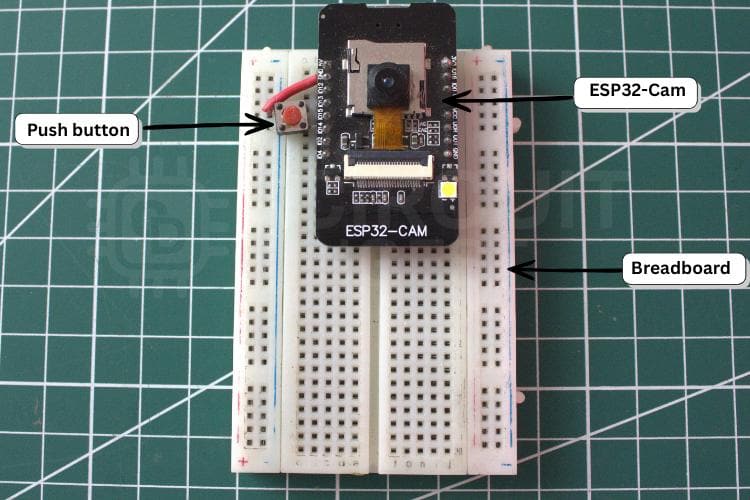
- ESP32-CAM module
- Push button
- Breadboard
- Jumper wires
- 5V power supply
If your ESP32-CAM board does not include a USB interface, you will also need a USB-to-Serial programmer for uploading the code.
Hardware Overview
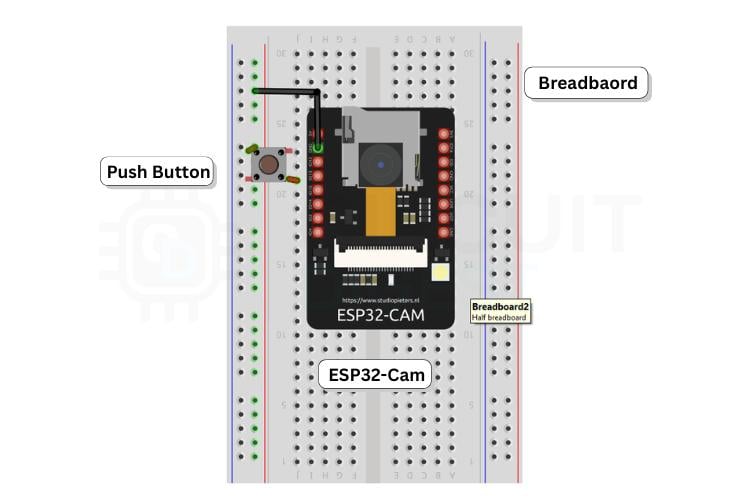
The hardware setup is intentionally simple. A push button is connected to GPIO 13 of the ESP32-CAM. When the button is pressed, the ESP32-CAM captures an image using its onboard camera.
GPIO 4 controls the onboard flash LED, which briefly turns on during image capture to improve image visibility in low-light conditions.
The ESP32-CAM then connects to Wi-Fi and securely uploads the image through an HTTPS request to the cloud API, which forwards it to WhatsApp.
Because the system uses the internal pull-up resistor of the ESP32, external resistors are not required for the button input.
How the System Works
The project workflow is straightforward:
- The ESP32-CAM connects to a Wi-Fi network.
- The push button is monitored continuously.
- When the button is pressed, the flash LED turns on briefly.
- The camera captures an image in JPEG format.
- The image is packaged into an HTTPS POST request.
- The cloud API processes the request.
- The image is delivered directly to WhatsApp.
The complete process takes only a few seconds, depending on internet speed and signal strength.
Setting Up the Cloud API
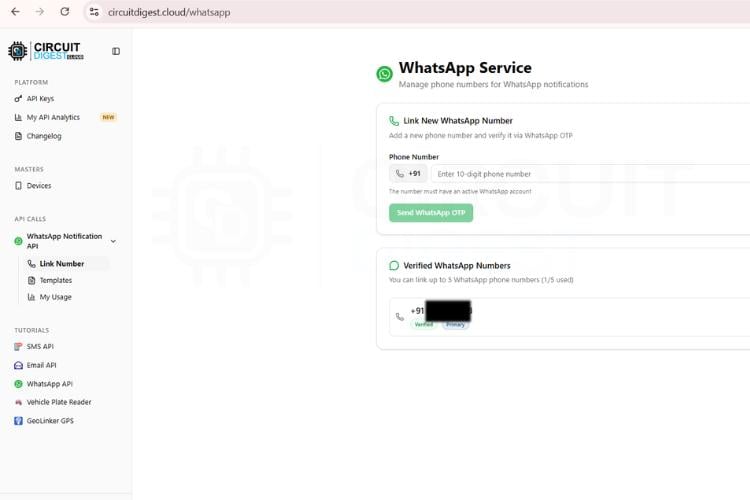
To send WhatsApp messages, the ESP32-CAM communicates with the CircuitDigest Cloud API. After registering on the platform, you receive:
- An API key
- WhatsApp template access
- Message configuration settings
These credentials are added to the Arduino code along with your Wi-Fi SSID and password.
The API uses secure HTTPS communication, which helps protect data transmission between the ESP32-CAM and the server.
ESP32-CAM Code Overview
The Arduino code is divided into several functional sections for easier understanding and maintenance.
Camera Initialization
The camera configuration section defines:
- Camera GPIO mappings
- Frame size
- JPEG quality
- Buffer settings
- Clock configuration
The program also checks whether PSRAM is available and automatically adjusts image resolution and buffer allocation for better performance.
Wi-Fi Connectivity
The ESP32 connects to a 2.4 GHz Wi-Fi network using the provided credentials. Once connected, the board synchronizes time using an NTP server so timestamps can be included in the WhatsApp message.
Image Capture
When the trigger button is pressed:
- The onboard flash LED turns on
- The camera captures an image
- The image data is copied into memory
- The frame buffer is released to avoid memory issues
Efficient memory handling is important because the ESP32-CAM has limited RAM resources.
WhatsApp Image Upload
The image is uploaded using a multipart HTTPS request. The request includes:
- Phone number
- Template ID
- Event details
- Captured image
After successful transmission, the API sends the image directly to WhatsApp.
Real-World Applications
One of the biggest advantages of this project is its flexibility. The same setup can be adapted for multiple real-world applications.
Smart Doorbell
A visitor can press the button, and their image is instantly delivered to your phone through WhatsApp.
Security Monitoring
The system can be connected to PIR motion sensors or IR sensors for automatic intrusion alerts.
Industrial Monitoring
Factories and restricted areas can use the setup to send instant event images to operators or supervisors.
Wildlife Observation
The ESP32-CAM can capture and send images remotely from outdoor environments without requiring a full surveillance system.
This project is an excellent introduction to:
- IoT communication
- Embedded image processing
- HTTPS networking
- Cloud APIs
- ESP32 development
Troubleshooting Tips
ESP32-CAM Not Connecting to Wi-Fi
Make sure the network supports 2.4 GHz because the ESP32-CAM does not support 5 GHz Wi-Fi networks.
Camera Initialization Failed
This issue is often caused by insufficient power. Use a stable 5V supply instead of relying only on USB power. Many ESP32-CAM instability problems are related to poor power delivery. Community discussions around ESP32-CAM projects frequently mention power supply reliability as a major factor for stable image transmission.
WhatsApp Message Not Sent
Verify the following:
- API key
- Phone number
- Template ID
- Internet connection
Checking serial monitor logs in the Arduino IDE can help identify request failures.
Upload Problems
If programming fails, ensure GPIO 0 is connected to GND during upload mode. Several ESP32 users have reported boot mode configuration issues when uploading firmware to ESP32-CAM boards.
Final Thoughts
This ESP32-CAM WhatsApp alert system demonstrates how low-cost IoT hardware can deliver real-time visual notifications without requiring complex infrastructure. By combining wireless connectivity, cloud APIs, and image capture, the project creates a compact surveillance and notification platform suitable for makers, students, and embedded developers.
The project can easily be expanded further by replacing the push button with motion sensors, door sensors, AI detection systems, or environmental triggers. It can also be integrated into larger smart home or industrial IoT systems.
With minimal hardware and simple programming, the ESP32-CAM becomes a powerful platform for instant visual communication over WhatsApp.