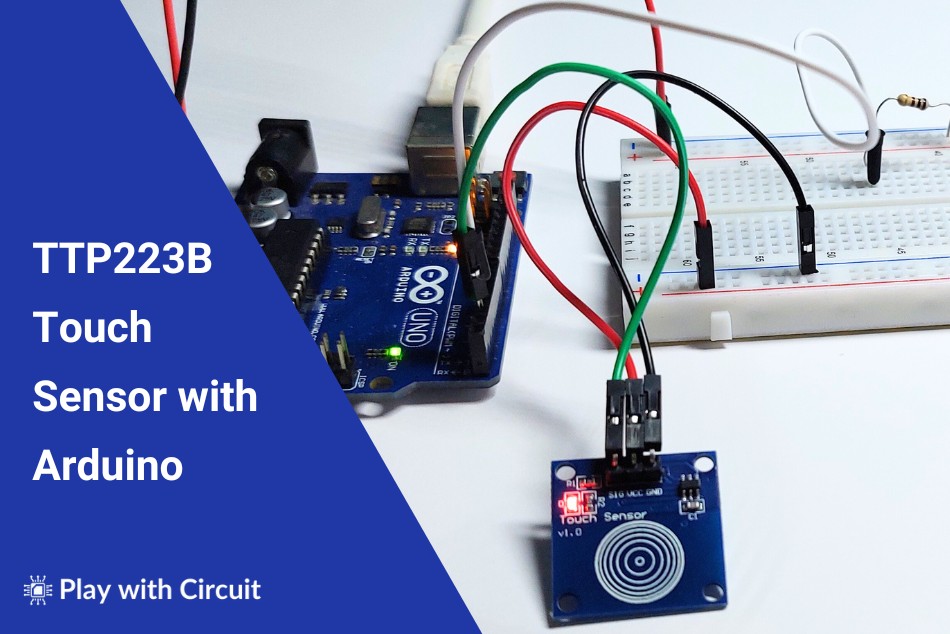
In this project, we will connect a TTP223B touch sensor to an Arduino UNO. When the sensor detects a touch, the Arduino will turn on an external LED and display a message on the Serial Monitor.
What is the TTP223B Touch Sensor?
The TTP223B is a 1-channel capacitive touch sensor module based on the TTP223-BA6 touch-sensing IC. It operates from 2.0V to 5.5V and provides a digital output indicating whether the sensor has detected a touch.
The module has a touch-sensitive electrode on its surface. When you place a finger on the electrode, the change in capacitance is detected by the sensor IC, which changes the state of its digital output.
An onboard LED is also provided on the module to indicate that the sensor is powered.
The TTP223B is useful for applications where a touch input is preferred over a mechanical switch, including simple user interfaces, touch-controlled lights, interactive projects, and Arduino-based prototypes.
TTP223B Sensor Pins
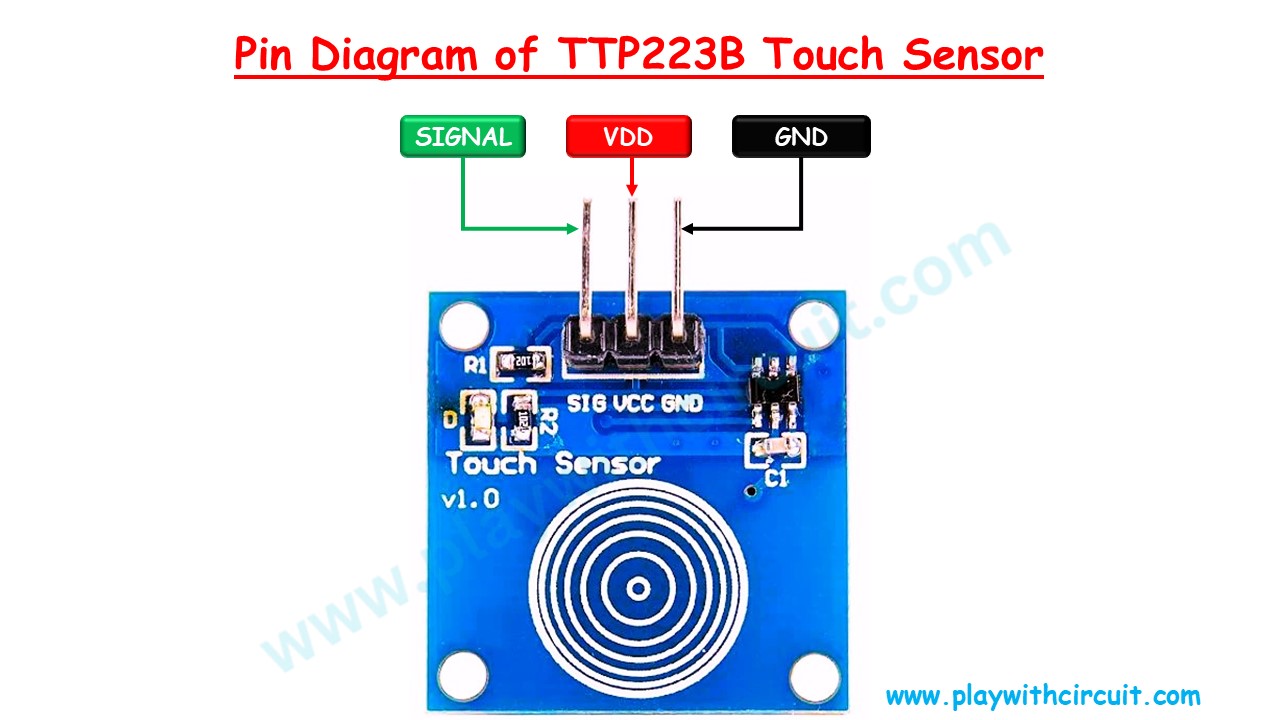
The TTP223B module has three main pins:
VDD → Supply voltage for the sensor. It can be connected to a 2.0V to 5V supply.
Signal → Digital output of the sensor. In the configuration used in this project, the output goes HIGH when a touch is detected and LOW when there is no touch.
GND → Ground connection.
The module can therefore be connected to an Arduino using just three wires.
How the TTP223B Detects Touch
The TTP223B works using capacitive sensing. The human body has a small amount of capacitance, and touching the sensor electrode changes the capacitance detected by the sensing circuit.
The TTP223-BA6 IC detects this change and produces a digital output. The Arduino can read this output using a normal digital input pin.
In this project, the sensor is configured for direct, Active-HIGH operation. Therefore, the Signal pin remains LOW when there is no touch and changes to HIGH when the sensor is touched.
Components Required
You will need the following components:
- Arduino UNO R3 – 1
- TTP223B V1.0 touch sensor – 1
- Red 5 mm LED – 1
- 100 Ω resistor – 1
- Small breadboard – 1
- Jumper wires – 5
For programming the Arduino, use Arduino IDE 2.1.1 or later.
Circuit Connections
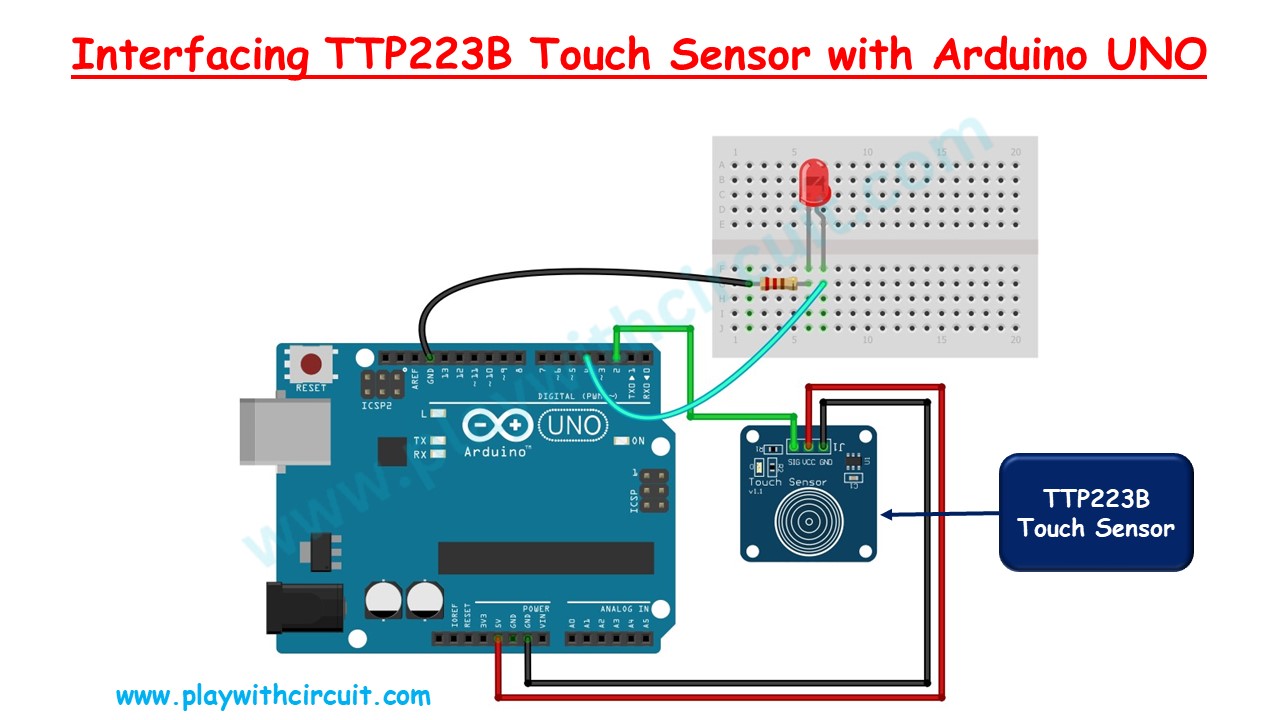
Power the TTP223B directly from the Arduino and connect the sensor as follows:
TTP223B VDD → Arduino 5V
TTP223B GND → Arduino GND
TTP223B Signal → Arduino Digital Pin 2
Now connect the external LED:
Arduino Digital Pin 4 → 100 Ω resistor → LED anode (+)
LED cathode (−) → Arduino GND
With these connections, Arduino pin 2 monitors the touch sensor, while pin 4 controls the external LED.
Conclusion
The TTP223B is an easy way to add capacitive touch input to an Arduino project. Its digital output makes it simple to connect to an Arduino GPIO pin without requiring an additional library.
You can extend this project to build touch-controlled lights, buttons, interactive interfaces, and other simple Arduino-based applications.
For more details, source code, and other practical electronics projects, visit Play with Circuit: https://playwithcircuit.com/how-to-interface-ttp223b-touch-sensor-with-arduino/