Build an offline voice-controlled system using the SU-03T voice module without cloud processing
Voice-controlled electronics are everywhere, from smart speakers to industrial automation systems. Most of these systems depend on cloud processing, which means they require an internet connection to recognize commands. That creates problems in projects where low latency, privacy, reliability, or offline operation matter.
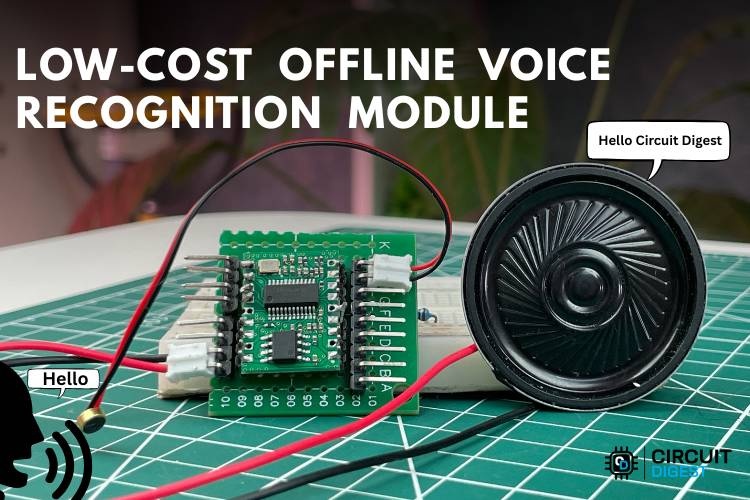
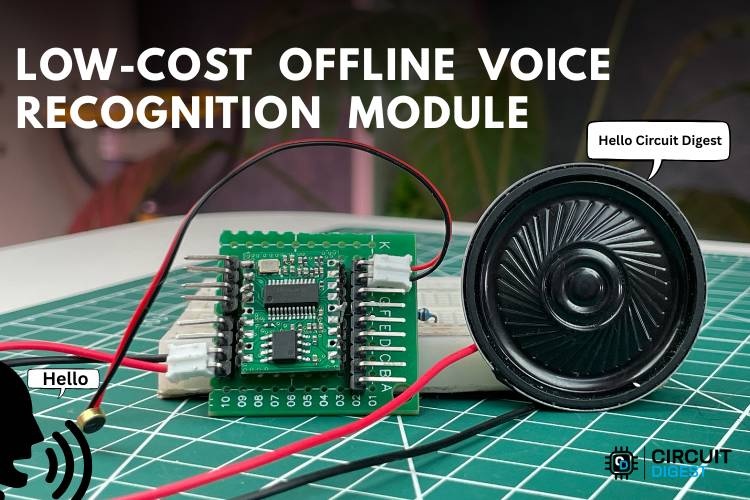
This project demonstrates how to build a fully offline voice recognition system using the SU-03T Offline Voice Recognition Module, a budget-friendly alternative to the popular VC-02 module. The system can recognize spoken commands locally and control hardware outputs such as LEDs without needing Wi-Fi, APIs, or external servers.
The project is ideal for makers, embedded developers, home automation enthusiasts, and students looking to explore edge-based voice interfaces without the complexity of machine learning frameworks.
Why Use an Offline Voice Recognition Module?
Traditional cloud-based voice assistants send audio data to remote servers for processing. While this provides strong speech recognition capabilities, it also introduces several drawbacks:
- Requires continuous internet access
- Higher response latency
- Privacy concerns
- Increased power and bandwidth usage
- Dependency on external services
Offline voice recognition modules solve these issues by processing commands directly on the device. The SU-03T module stores predefined commands locally and triggers GPIO outputs whenever it detects a matching phrase.
This makes it a practical choice for:
- Smart home systems
- Voice-controlled lighting
- Assistive technology
- Educational embedded projects
- Industrial control systems
- Automotive interfaces
What Makes the SU-03T Interesting?
The SU-03T is widely used as a low-cost alternative to the Ai-Thinker VC-02 module. Although it is less documented than the VC-02, it supports many of the same offline voice recognition capabilities.
Key features include:
- Offline voice command recognition
- Wake-word support
- GPIO control
- PWM output support
- Configurable spoken responses
- English command support
- Low power operation
- No microcontroller required for basic control
One of the biggest advantages is simplicity. You can create voice-controlled hardware without writing firmware for an external MCU.
Components Required
To build the project, you will need:
- SU-03T Offline Voice Recognition Module
- Electret microphone
- 8Ω speaker
- USB-to-TTL converter
- Two LEDs
- Two 100Ω resistors
- Breadboard
- Jumper wires
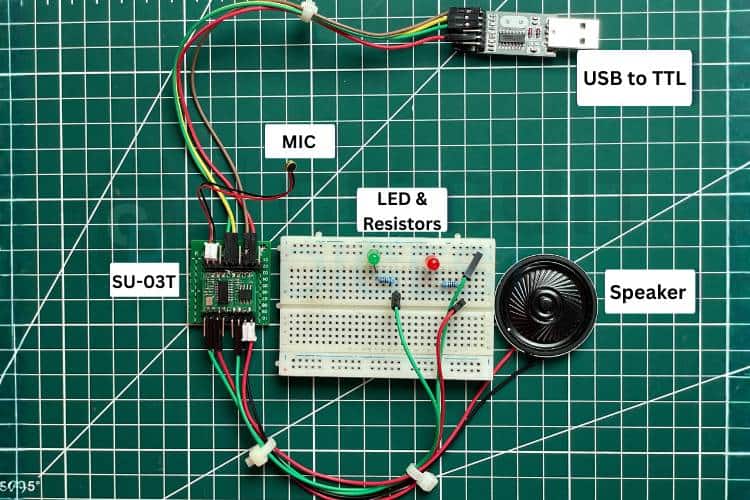
The microphone captures spoken commands, while the speaker provides voice feedback from the module. LEDs are used here as demonstration outputs, but the GPIO pins can later control relays, motors, or automation hardware.
Hardware Connections
The setup is straightforward and beginner-friendly.
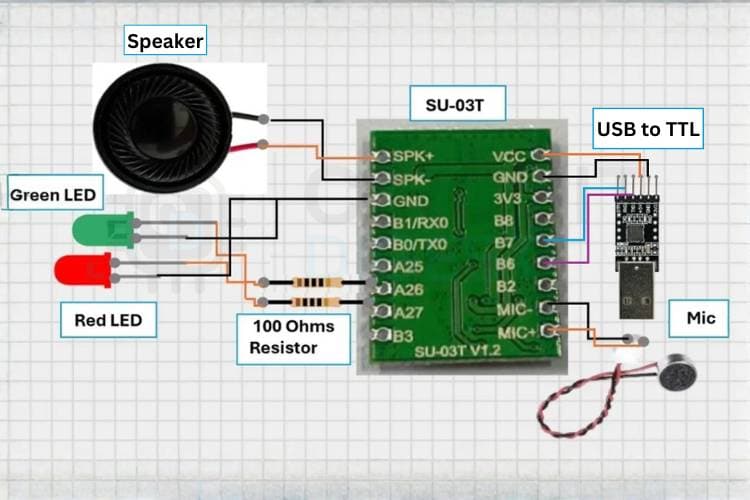
The SU-03T connects to a USB-to-TTL converter for power and firmware uploading. The microphone connects to the module’s audio input pins, and the speaker connects to the onboard amplifier outputs.
Two GPIO pins are connected to LEDs through current-limiting resistors. When a command is recognized, the corresponding GPIO changes state and activates the connected output device.
Important note: the module operates at 3.3V and is not 5V tolerant.
How the Voice Recognition System Works
The module continuously listens for audio through the connected microphone. Once a spoken command matches one of the stored phrases, the module immediately performs the assigned action.
For example:
- Saying “Turn on LED” sets GPIO1 HIGH
- Saying “Turn off LED” sets GPIO2 HIGH
The module can also respond with preconfigured voice feedback through the speaker, creating a more interactive user experience.
Unlike cloud-based assistants, everything happens locally on the hardware itself, which significantly reduces delay and improves reliability.
Configuring the SU-03T Module
The SU-03T uses the Ai-Thinker Voice SDK platform for configuration and firmware generation. Even though the module is generic, it is compatible with the VC-02 configuration workflow.
Step 1: Create an Account
Visit the Ai-Thinker Voice SDK portal and create an account. After logging in, create a new product profile.
Step 2: Select Offline Mode
Choose:
- Product Type: Other Products
- Scene: Pure Offline
- Module: VC-02
- Language: English
Even though the hardware is SU-03T, the VC-02 profile works for firmware generation.
Step 3: Configure the Wake Word
Set a custom wake phrase such as:
- “Hello”
- “Hi Buddy”
- “Wake Up”
You can also configure the module’s spoken reply after the wake word is detected.
Step 4: Add Voice Commands
Define command phrases and associate them with GPIO actions.
Example:
Command phrase:
“Turn on light”
Response:
“Turning on the light”
GPIO action:
GPIO1 HIGH
You can repeat this process for multiple commands.
Step 5: Configure Wake-Free Commands
The module supports up to 10 wake-free commands. These commands can be executed directly without speaking the wake word first.
Step 6: Generate Firmware
After configuration is complete, generate a firmware package through the SDK portal. Firmware generation may take around 30 minutes.
Download and extract the generated package once ready.
Step 7: Flash the Firmware
Use the UniOneUpdateTool utility to upload the generated firmware to the module through the USB-to-TTL adapter.
Once flashing is complete, restart the module and test the configured commands.
Real-World Performance
The SU-03T works surprisingly well for low-cost offline voice control applications. Community feedback suggests the module performs reliably with properly trained commands and clear pronunciation.
However, there are some practical limitations:
- Limited custom command count
- Minimal official documentation
- Configuration tools can be difficult for beginners
- Some users report flashing issues if incorrect firmware files are used
Despite these limitations, the module remains one of the cheapest ways to experiment with offline voice interfaces.
Applications
This project can easily scale beyond LEDs.
Potential applications include:
Smart Home Automation
Control lights, fans, sockets, or curtains entirely offline.
Voice-Controlled Assistive Systems
Help elderly or physically challenged users operate devices hands-free.
Industrial Control Panels
Enable local voice-triggered machinery indicators or alerts without internet dependency.
Automotive Systems
Use offline voice commands for in-vehicle controls without cloud connectivity.
Educational Projects
Teach embedded AI concepts and human-machine interaction in a practical way.
Troubleshooting Tips
Commands Are Not Recognized
Speak clearly and ensure the command phrase exactly matches the configured wording.
GPIO Output Does Not Work
Verify the GPIO mapping inside the SDK configuration and double-check hardware wiring.
Module Is Not Detected
Confirm the USB-to-TTL drivers are installed correctly and the proper COM port is selected.
Poor Voice Detection
Reduce environmental noise and position the microphone closer to the speaker.
Future Improvements
There are many ways to expand this project further:
- Relay-based appliance control
- Servo motor integration
- Voice-controlled door locks
- Smart mirror interfaces
- Multi-room automation
- ESP32 integration
- Mobile dashboard support
You can also combine the module with microcontrollers such as the ESP32 or Raspberry Pi for more advanced automation logic.
Final Thoughts
The SU-03T Offline Voice Recognition Module offers an inexpensive entry point into offline voice-controlled electronics. While it does not provide the flexibility of modern AI voice assistants, it excels in simple embedded control tasks where internet independence, low cost, and fast response matter most.
For makers building automation systems, educational demos, or standalone embedded interfaces, this module provides a practical and accessible way to add voice interaction to hardware projects without relying on cloud services.