Build a real-time Indian currency detector using ESP32-CAM and Edge Impulse — harnessing TinyML for affordable, offline edge AI recognition.
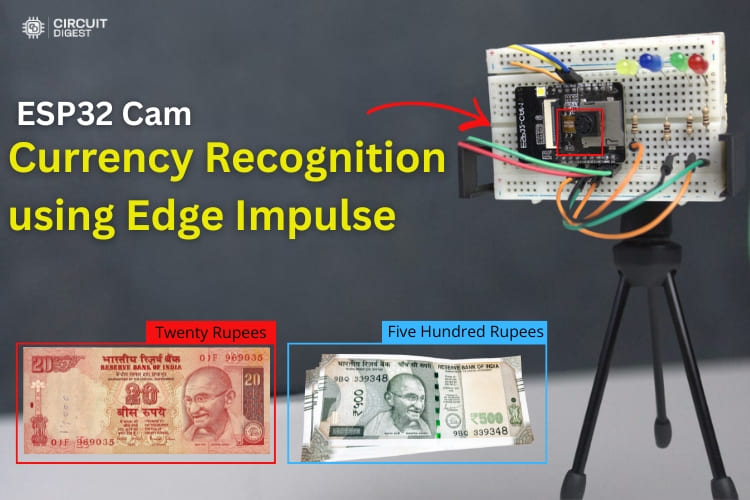
Imagine turning a low-cost ESP32-CAM board into a smart visual AI device that can instantly recognize different Indian currency notes — no cloud, no internet required. In this comprehensive project, we walk you through building a real-time ESP32 Cam currency recognition system by combining the power of the affordable ESP32-CAM microcontroller with Edge Impulse, a leading TinyML development platform.
This tutorial covers everything from gathering and labelling image data to training a machine learning model in Edge Impulse, to deploying that model directly on the ESP32-CAM and testing real-world performance. We also show how simple LED indicators provide instant visual feedback of the recognised note, while detailed results are displayed in the Arduino Serial Monitor.
🚀 What You’ll Gain from This Project
By the end of this build, you will learn:
- How to interface the ESP32-CAM module with external peripherals.
- TinyML and edge AI concepts in the context of real-time image classification.
- How to collect, label, and upload training data to Edge Impulse.
- Designing, training, and deploying an object detection model.
- Integrating a trained model into Arduino and running it locally on the ESP32-CAM.
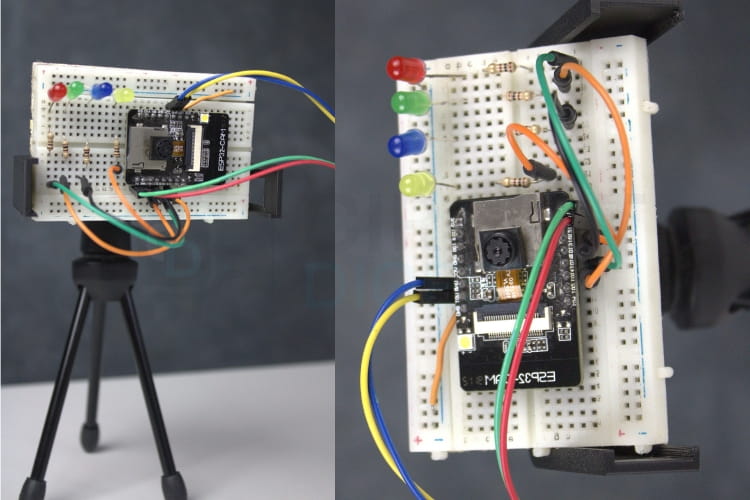
FIxed angle for the accurate Recognition
🔌 Hardware Setup and Wiring
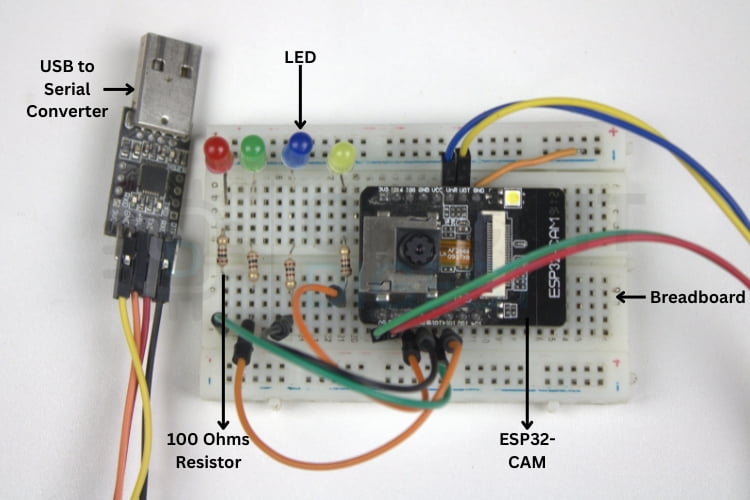
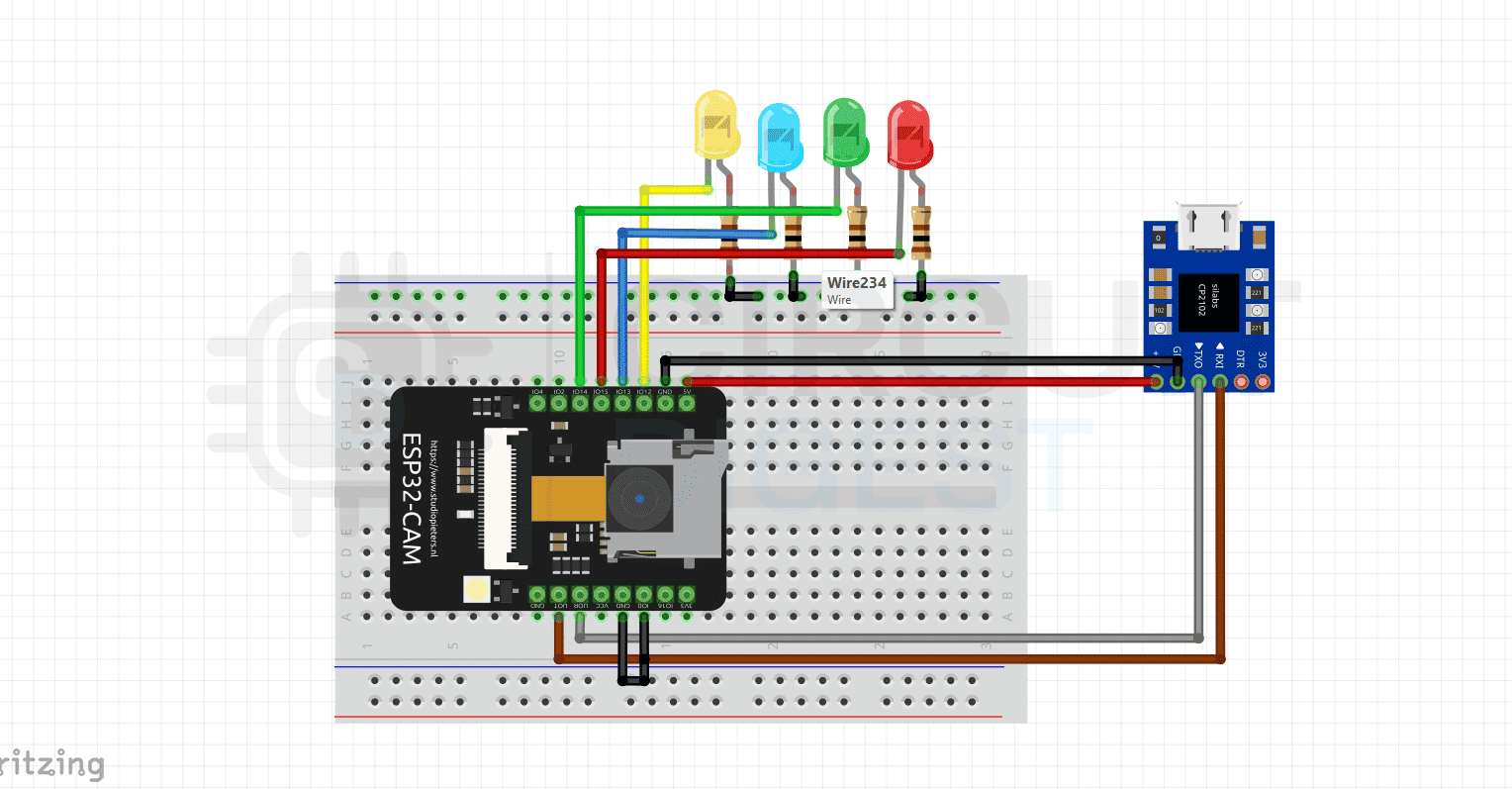
The ESP32-CAM module is connected to the USB-to-Serial converter because it doesn’t include a USB port of its own. LEDs are attached to GPIO pins, with each LED representing a specific denomination. When the ML model detects a specific note, the corresponding LED lights up — giving immediate visual feedback.
Make sure you assign the correct pins and include 100 Ω resistors in series with each LED to prevent damage.
📸 Collecting and Preparing Currency Images
To train a reliable model, you must collect quality images of different Indian currency denominations (e.g., ₹10, ₹20, ₹50, ₹500). Aim for at least 50–100 images per class with varying lighting, angles, and backgrounds. A plain, light background simplifies training and improves accuracy.
Upload labelled images to Edge Impulse, annotate them, and prepare them for model training.
Labelling the Indian Currency
🧠 Training the Machine Learning Model
On the Edge Impulse platform:
- Create a new project and upload your image dataset.
- Label each image with its respective denomination.
- Configure the impulse with image processing and object detection blocks.
- Train the model and evaluate performance metrics like accuracy and F1 score.
- Deploy the model as an Arduino library optimized for ESP32.
🛠 Programming the ESP32-CAM
Download the generated Arduino library from Edge Impulse and add it to your Arduino IDE. Modify the example sketch to define the camera model (CAMERA_MODEL_AI_THINKER) and select the correct COM port and board before uploading. Once the code is uploaded, the ESP32-CAM runs your trained model locally with no internet needed.
🧪 Testing and Optimization
Fix the ESP32-CAM at a steady angle using a tripod or mount. Proper alignment ensures consistent capture of the entire note for accurate recognition. When placed under the camera, the system captures and processes the image, identifies the denomination, and illuminates the corresponding LED.
🧠 Real-World Applications
This project isn’t just a fun build — it has practical implications:
- Assistive Tech for the Visually Impaired: Combine with audio output to verbally announce detected denominations.
- Retail and PoS Systems: Speed up transaction validation and reduce human error.
- Automated Currency Counting: Great for banks or cash-handling kiosks.
- Vending Machines: Recognize inserted currency and automate service.
🔧 Future Enhancements
You can expand this system further by:
- Adding support for more denominations, coins, or fake currency detection.
- Integrating displays (LCD/OLED) to show the recognized value.
- Adding audio feedback for improved accessibility.
🛠 Troubleshooting Tips
Some common issues include upload failures, Wi-Fi connection errors during data collection, or incorrect camera models in code. Verify connections, proper baud rates, and correct board settings in the Arduino IDE to resolve these.
🧩 Conclusion
This ESP32-CAM currency recognition project showcases how embedded AI and TinyML can transform simple microcontroller boards into intelligent machines capable of real-time image classification — all without relying on cloud compute. By blending hardware, machine learning, and practical design, you’ll gain valuable insights into edge AI while building a truly useful system. Ready to start your journey into embedded intelligence? Get your parts ready and begin building! Explore a wide range of innovative ESP32 projects ideas
to build smart IoT, automation, and embedded AI applications. These projects are perfect for beginners and advanced makers alike.