Arduino as an accessible, affordable, and open-source platform for beginners to explore electronics and build DIY projects, highlighting TME’s Make Your UNO Kit, versatile Arduino boards, and guided tutorials that help users progress from learning basics to creating advanced applications in automation, robotics, and IoT.
Arduino has shaped how people learn electronics and build automated projects. Created in Italy in 2003 as an open-source platform for students and artists, Arduino removes much of the complexity associated with microcontrollers, making physical computing accessible to anyone with a bit of curiosity and creativity. Whether you’re a student exploring hands-on projects, a hobbyist ready to automate your home, or simply a person fascinated by how electronics work, Arduino provides an affordable, novice-friendly entry point. Everything you need to begin (e.g., boards, components, and step-by-step project guides) is available through Transfer Multisort Elektronik’s comprehensive Arduino catalogue.
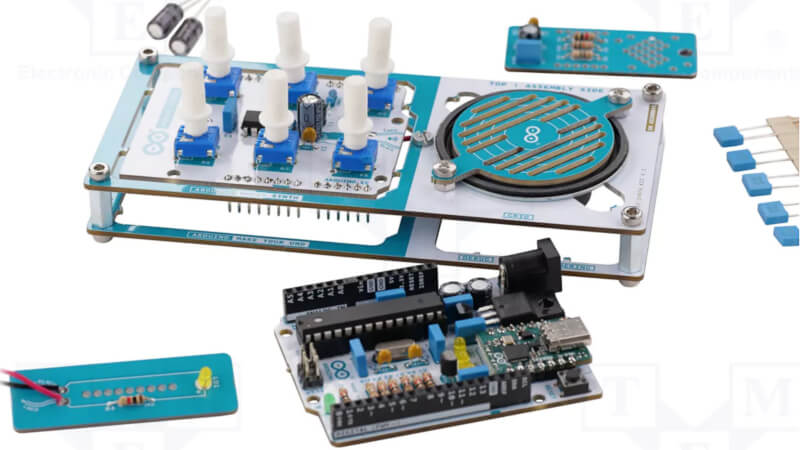
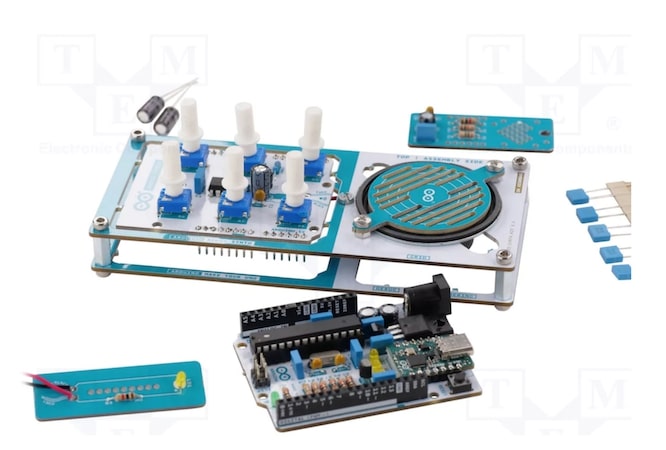
TME’s Make Your Uno development kit. Image credit: TME
Why Arduino wins for beginners
Arduino succeeded where previous platforms struggled by solving three problems. First, Arduino is genuinely affordable. Complete starter kits cost less than many textbooks, putting electronics experimentation within reach for students and hobbyists worldwide. Second, the open-source nature means free software, abundant online tutorials, and a global community of 30 million+ makers ready to help if you get stuck. Third, Arduino runs on Windows, Mac, and Linux, unlike many microcontroller platforms that are locked into a single operating system.
The hardware itself reflects this beginner-friendly philosophy. Arduino boards feature clearly labelled pins for connecting your sensors and outputs, standardized connectors that accept plug-and-play shields, and built-in USB programming that eliminates the need for separate hardware programmers. The Arduino IDE offers a simple programming environment where you can write code, click upload, and watch your creation come to life within seconds.
What you can build with Arduino
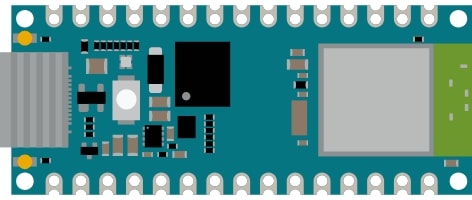
Nano ESP32 Arduino board. Image credit: Arduino
Arduino’s versatility means that the only real limitation is your imagination. Smart home automation is one of the most popular applications. You can control lighting based on ambient conditions, monitor temperature and humidity throughout your house, or build security systems to send alerts to your phone. Environmental monitoring projects can track air quality, create weather stations, or even automate garden watering based on soil moisture levels.
Robotics enthusiasts can use Arduino to control motors, process sensor data, and integrate autonomous behaviors in everything from line-following robots to quadcopters. The platform enables interactive installations where physical objects respond to the environment, such as LED displays that react to sound or kinetic sculptures based on user proximity. With boards like the Arduino Nano ESP32 offering built-in WiFi and Bluetooth, connecting projects to the internet or creating wireless sensor networks is simple and straightforward.
Two paths to get started: build or buy
TME’s Make Your UNO Kit is an excellent starting point for hands-on learners who want to understand their tools. Rather than buy a pre-assembled board, this kit lets you build your own Arduino Uno from all components. You’ll solder resistors, mount the ATmega328P microcontroller, and assemble the USB interface. The process teaches the basic principles of electronics while creating a fully functional development board. Detailed assembly instructions walk you through every step, from identifying components to proper soldering techniques.
If you prefer to jump right into programming and projects, TME stocks a complete range of official Arduino boards. For beginners, Arduino Uno remains the classic choice because of its robust design and extensive tutorial support. The Arduino Nano provides identical functionality in a compact, breadboard-friendly package. The Arduino Nano ESP32 adds wireless connectivity for IoT applications, featuring a dual-core processor, WiFi, and Bluetooth in a tiny footprint.
Hands-on projects from TME’s library
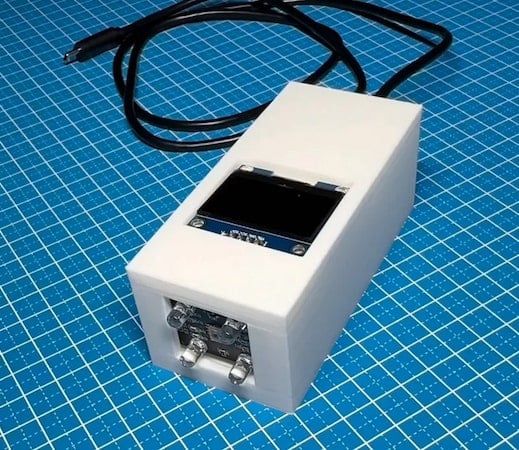
Arduino-built color sensor with an integrated organic LED display. Image credit: TME
TME offers an extensive Arduino ecosystem of official boards, compatible shields, sensors, actuators, and components for any project you can envision. Browse complete Arduino solutions on the TME website, filtering by board type, connectivity options, and specifications to identify the perfect platform to meet your needs.
TME's DIY project library provides guided tutorials that take you from complete beginner to confident maker. The colour sensor project teaches interfacing with the TCS2300 sensor to detect and identify object colors accurately, which is a useful skill for sorting mechanisms, robotics, or interactive displays. You can connect the sensor to your Arduino Nano, upload code, and optionally 3D-print an enclosure with an OLED display for standalone operation.
An RFID reader project introduces wireless communication technology used in access control systems, contactless payments, and inventory tracking. Using an RFID-RC522 module, you'll learn about radio frequency ID principles while building a working reader that captures data from RFID tags and cards. The project covers hardware connections, library installation, and programming the Arduino to respond when specific tags have been detected.