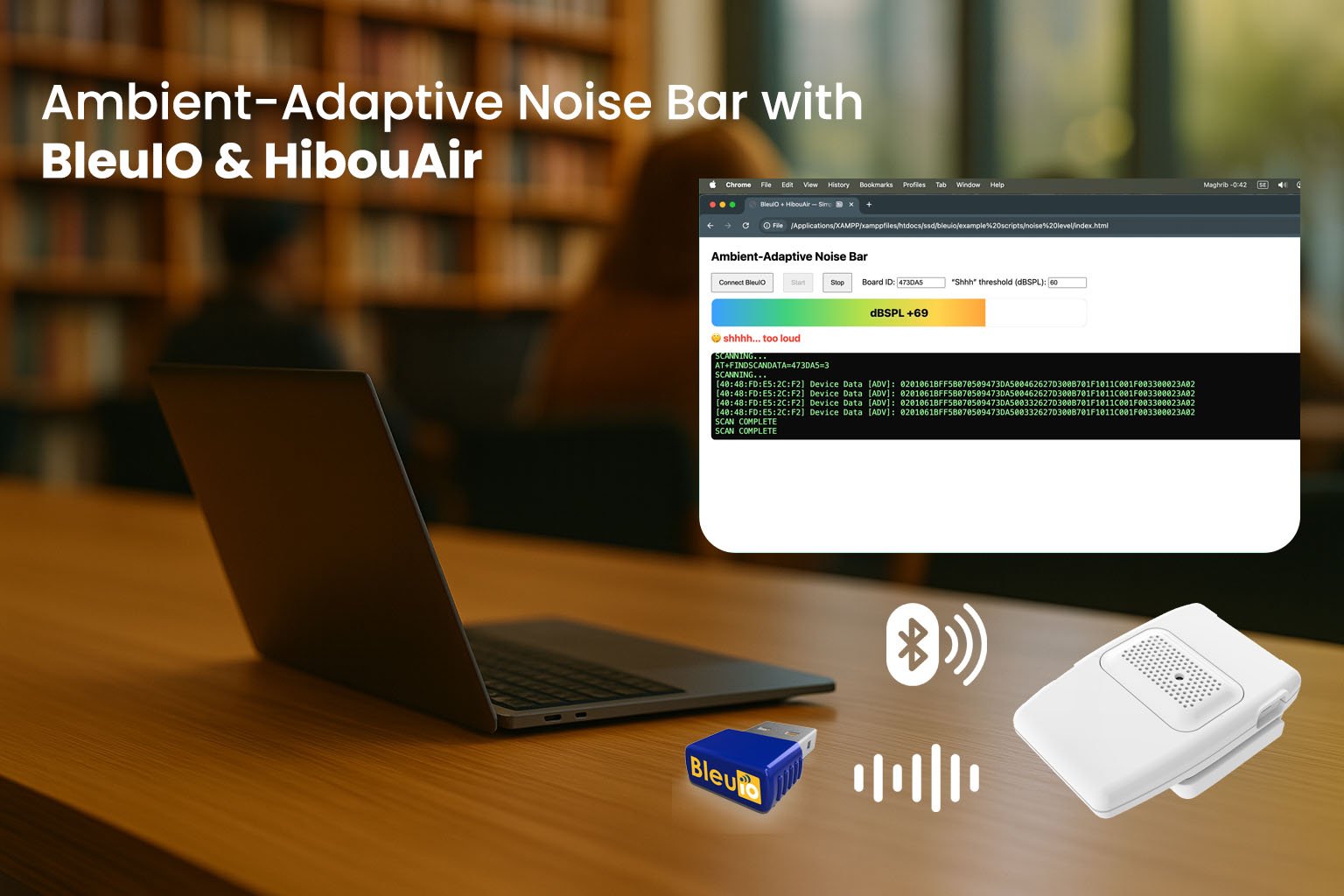
This tutorial shows how to build a small, browser-based monitor that reads only the advertised noise level from a nearby HibouAir sensor using a BleuIO USB BLE dongle.
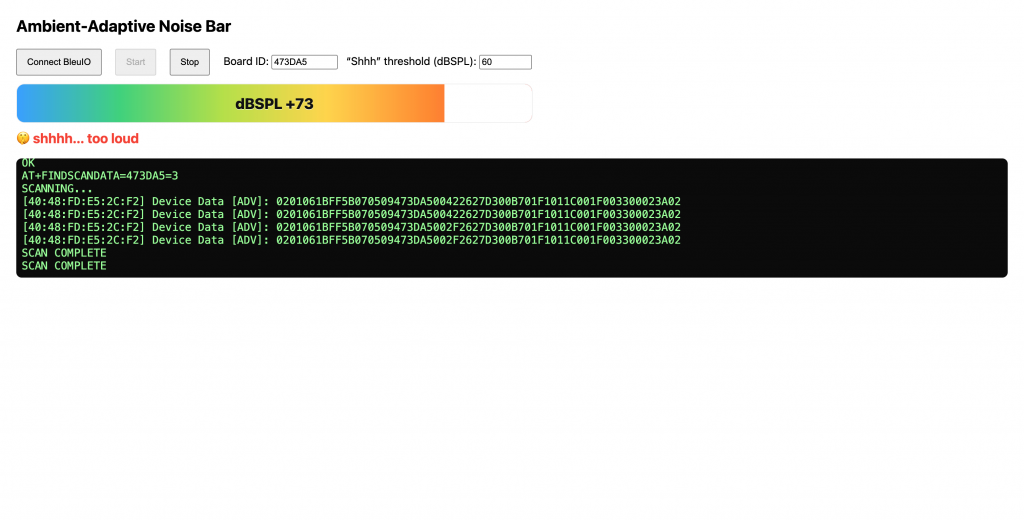
This tutorial shows how to build a small, browser-based monitor that reads only the advertised noise level from a nearby HibouAir sensor using a BleuIO USB BLE dongle. There is no pairing, no audio recording, and no microphone access. The page simply listens for Bluetooth Low Energy (BLE) advertisements, decodes a numeric noise value emitted by the sensor, and renders it as a color bar between 40–80 dBSPL. When the value exceeds a threshold you choose, a plain “shhhh” banner appears as a gentle cue to keep things quiet.
Why a Noise-Only, Privacy-Centric Monitor?
The goal is awareness, not surveillance. Many environments benefit from real-time feedback about loudness—libraries, classrooms, shared offices, and homes—yet microphones introduce privacy concerns and data-handling obligations. This project avoids all of that by reading a single numeric value that the HibouAir computes internally and broadcasts publicly. Because BLE advertisements are brief, connectionless, and contain no personally identifiable information or audio, the solution is both practical and privacy-preserving. It gives occupants a clear indication of ambient noise without storing, transmitting, or analyzing conversations.
What You’ll Build
You’ll create a single HTML file that talks to the BleuIO dongle through the Web Serial API. The page switches BleuIO to a central role, periodically runs a targeted scan for your HibouAir device ID, and parses the manufacturer-specific bytes in each advertisement to extract the noise reading. The value is then mapped to a 40–80 dB display range and presented as a horizontal color bar. If the measured level crosses your threshold, the banner appears. Everything runs locally in your browser; there is no backend server and nothing leaves your machine.
Google Chrome or Microsoft Edge on desktop (Web Serial enabled)
Any text editor to save and edit index.html
How It Works
BLE devices periodically broadcast short advertisement packets. These packets can include a manufacturer-specific data (MSD) field where vendors store compact sensor values. Because advertisements are public and unidirectional, you can read them without pairing or maintaining a connection, which makes them ideal for low-overhead telemetry and privacy-first designs.
What We Read
HibouAir encodes a noise metric inside its MSD block. This project looks only for that metric. The page filters scan results to a specific board ID so you capture advertisements from your own sensor. Each time the dongle reports an advertisement line, the page extracts the longest hex payload, finds the MSD anchor, and reads two bytes that represent the noise value.
The BLE Flow
When you click Connect, the browser opens a serial session to BleuIO. The page sends AT+CENTRAL once to set the dongle into scanning mode. Every few seconds, it issues AT+FINDSCANDATA=<BOARD_ID>=3 to perform a three-second targeted scan and then reads the output until the dongle prints “SCAN COMPLETE.” This cadence repeats continuously so your display stays current without spamming the serial interface.
Save the page as index.html and open it with Chrome or Edge on your desktop. Click Connect BleuIO and select the dongle’s serial port. Verify the Board ID matches your HibouAir unit, then click Start. You should see the serial log print “SCANNING…” followed by advertisement lines and “SCAN COMPLETE.” As new packets arrive, the color bar moves within the 40–80 dB range and the banner appears when the measured level meets or exceeds your threshold. The app continues scanning at a steady cadence without manual intervention.
Output
Use Cases
In a library or reading room, the bar provides a quiet, visual nudge to maintain a calm atmosphere without recording anyone. Classrooms can use it to keep group work from spilling into disruption while reassuring students and parents that no audio is captured. Open offices gain a neutral reference during focus periods, with the banner serving as a gentle reminder rather than an alarm. At home, the display helps keep late-night activities considerate of sleeping children or neighbors. Across all of these contexts, the design sidesteps privacy concerns by never collecting voice or content—only a simple loudness number the sensor already computes.
Accuracy and Limitations
The 40–80 dB window is a display choice that covers common indoor scenarios; this is not a calibrated sound level meter. BLE advertisements arrive periodically, so the value updates in small steps rather than continuously. Placement matters: keep the HibouAir and BleuIO within reasonable proximity to reduce missed packets. If the environment is unusually quiet or loud, you can shift the threshold or adjust the visual window to suit your space.