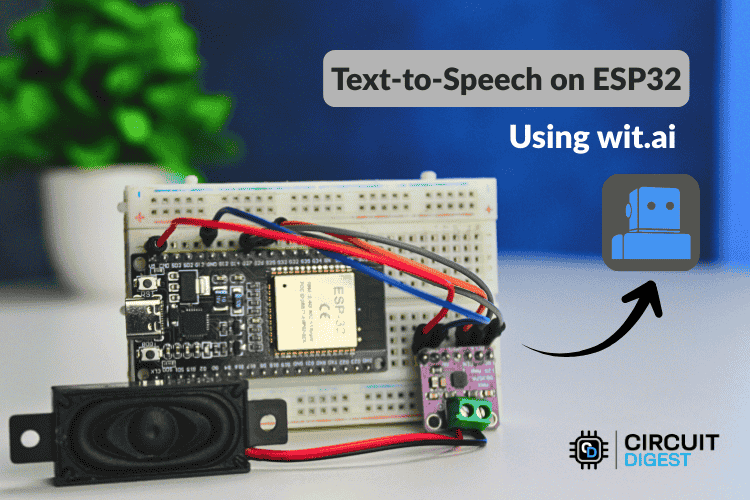
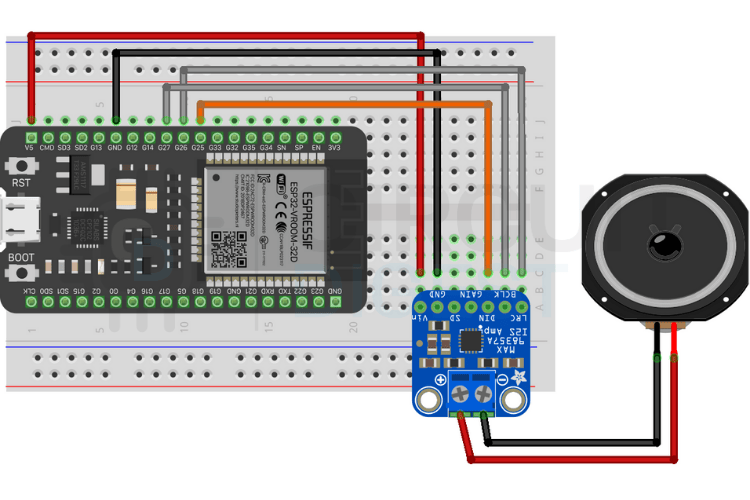
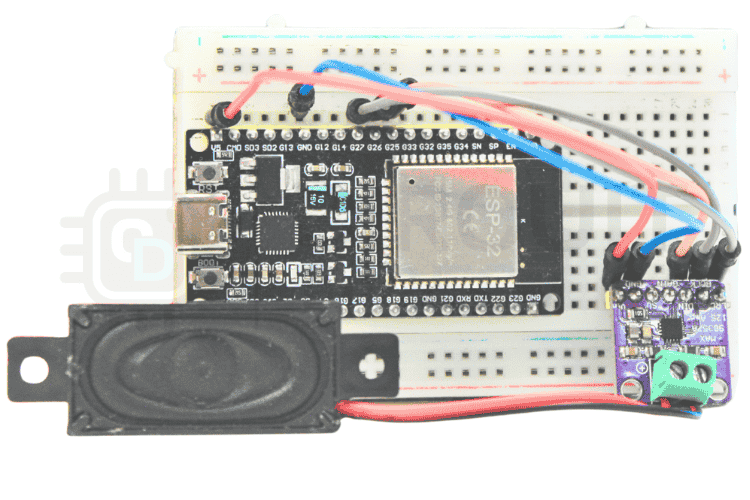
Build an AI-powered ESP32 text-to-speech system using Wit.ai to give your microcontroller a natural, cloud-based voice output.
Text-to-Speech (TTS) technology converts written text into spoken words, enabling machines to “talk.” It fuels voice assistants, accessibility tools, alert systems, kiosks, and smart IoT devices. However, unlike computers or smartphones, tiny microcontrollers such as the ESP32 don’t have enough memory or processing power to generate high-quality speech on the device itself. That’s where AI-powered, cloud-based TTS comes in.
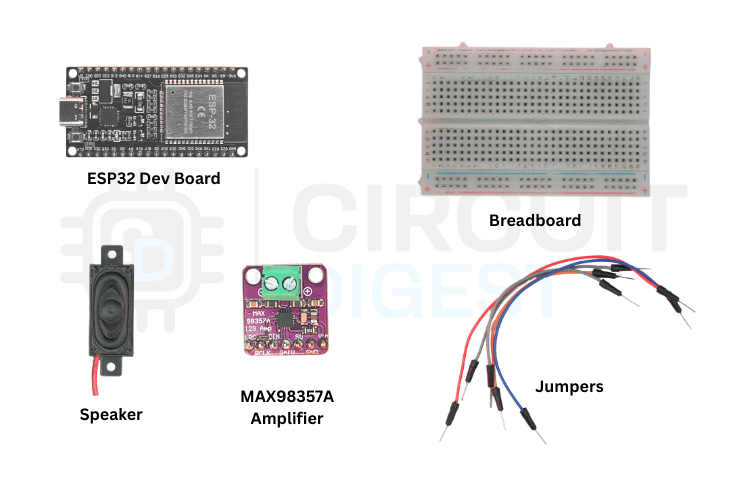
In this project, we’ll walk through how to harness Wit.ai’s ESP32 text to speech using AI service to enable an ESP32 to output natural-sounding speech. Instead of relying on the ESP32 to process audio, we send text to Wit.ai online, receive speech audio in response, and play it back through a speaker. This cloud-assisted approach minimizes onboard processing demands while delivering clear voice output.
Why Use AI-Based TTS for ESP32
Generating natural speech locally on a microcontroller is challenging due to tight memory, low CPU speed, and no built-in audio synthesis hardware. Large speech synthesis models simply cannot run on the ESP32. By utilizing AI services like Wit.ai, you offload the heavy lifting — the ESP32 sends raw text to the cloud, the AI generates speech, and the resulting audio is streamed back to your device. This method enables:
- High-quality, natural-sounding voices backed by advanced AI models.
- Minimal onboard processing — ideal for microcontrollers.
- Scalable performance with automatic improvements and updates from the cloud.
- Flexible integration without complex local audio libraries.
Setting Up Wit.ai for TTS
To use Wit.ai text-to-speech services:
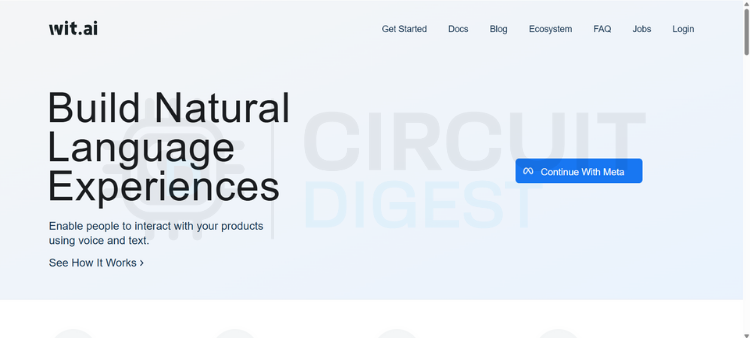
- Create a Wit.ai account: Sign in on the Wit.ai website using email or Meta login.
- Create a new app: Give it a meaningful name and select your target language.
- Get your Server Access Token: Find it under app settings (HTTP API section) — this token lets your ESP32 securely talk to Wit.ai.
- Secure your token: Store it safely in environment variables or configuration — avoid hard-coding in source files.
Installing the WitAITTS Library
CircuitDigest’s open-source WitAITTS library makes it easy to integrate cloud TTS into your ESP32 sketches:
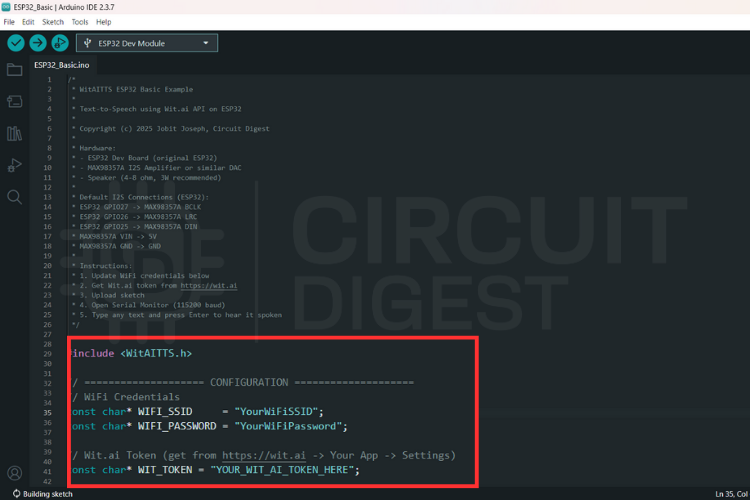
- Open the Arduino IDE and install “WitAITTS” from the Library Manager.
- Load the example sketch (
ESP32_Basic) and replace placeholder fields with your Wi-Fi credentials and Wit.ai token.
Once uploaded, you’ll be able to type text in the Serial Monitor and hear the ESP32 speak it.
How Audio Streaming Works
Rather than downloading a full audio file, the ESP32 receives TTS audio as a stream, reducing memory usage and improving responsiveness. Streaming playback begins while audio continues to arrive — improving perceived performance
Tips for Better Playback Quality
Several factors influence the quality of speech output:
- Network stability: Strong Wi-Fi ensures smoother streaming.
- Power supply quality: Stable 5V reduces distortion.
- Speaker quality: Good mid-range response improves clarity.
- I2S configuration: Use library defaults unless advanced tuning is needed.
Troubleshooting Common Issues
Here’s how to address typical problems:
- No sound: Check wiring and amplifier power.
- HTTP errors: Verify your Wi-Fi and Wit.ai token.
- Distorted audio: Improve power supply and speaker impedance match.
Conclusion
Integrating AI-powered text-to-speech into your ESP32 projects drastically expands their functionality without overwhelming the microcontroller. By leveraging cloud services like Wit.ai, your ESP32 can generate natural speech with minimal local computation. This guide provides everything from hardware setup to Wit.ai integration — a compelling project that’s both educational and practical for makers of all levels.