Introduction
As DIY electronics enthusiasts, one of the most common challenges we face is powering our projects. Many circuits require specific voltage levels, but most power supplies come in limited voltage ranges. Whether you're designing a small microcontroller-based project or simply need a power supply for your sensor network, a voltage converter can solve this problem.
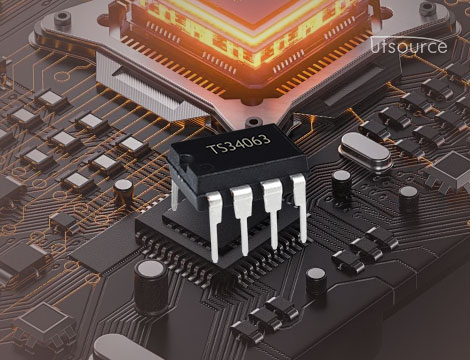
In this article, we will walk through a DIY project that uses the TS34063 integrated circuit (IC) to build a 12V to 5V DC-DC buck converter. This is an efficient way to power your 5V devices from a 12V supply, ideal for projects where space and power efficiency are essential. The TS34063 is a versatile DC-DC converter IC capable of operating as a step-down (buck), step-up (boost), or inverter, making it a popular choice for DIYers looking for flexibility and ease of use.
Why Use a TS34063?
The TS34063 is an integrated DC-DC converter designed for use in low-to-medium power applications. It’s an efficient way to step down the voltage from 12V to 5V, with an efficiency rate that can be as high as 80-90% depending on the design. This makes it an excellent choice for powering 5V logic circuits, microcontrollers, and sensors without wasting too much energy in the form of heat.
Key advantages of the TS34063:
· Wide input voltage range: It can operate with input voltages ranging from 3V to 40V, which makes it suitable for a variety of power sources.
· High efficiency: As a buck converter, it can efficiently step down the voltage while minimizing heat generation.
· Flexible configuration: The IC can be configured as a buck converter, boost converter, or an inverter, which makes it adaptable to different power requirements.
· Compact: It is available in a small 8-pin DIP or surface-mount package, making it easy to integrate into compact projects.
In this project, we will focus on using the TS34063 as a buck converter to step down a 12V DC input to a stable 5V DC output.
Project Overview
The goal of this project is to design a simple, efficient power supply that converts 12V DC to 5V DC. This will be accomplished using the TS34063 in a buck converter configuration. The resulting 5V output will be able to power a variety of electronic devices, including microcontrollers (such as the Arduino or ESP32), sensors, and other low-power electronics.
The project will be divided into the following steps:
1. Designing the circuit: We'll configure the TS34063 as a buck converter.
2. Selecting the components: We'll choose the right inductors, capacitors, and resistors to ensure efficient conversion.
3. Building the circuit: We'll assemble the components on a breadboard or PCB.
4. Testing the converter: We'll verify the functionality of the converter and make any necessary adjustments.
Components Required
To build the 12V to 5V DC-DC step-down converter, we will need the following components:
1. TS34063 Integrated Circuit: The heart of the converter that will handle the DC-DC conversion.
2. Inductor: A 100µH inductor is typically used in this application. The value can be adjusted depending on your specific requirements.
3. Capacitors:
o Input capacitor: A 100µF electrolytic capacitor to stabilize the input voltage and reduce noise.
o Output capacitor: A 100µF electrolytic or tantalum capacitor to smooth the output and minimize ripple.
4. Resistors:
o R1 (1kΩ): Used to set the feedback voltage (which determines the output voltage).
o R2 (1kΩ to 3kΩ): Also part of the feedback network.
5. Diode: A 1N5819 Schottky diode is commonly used in buck converters due to its low forward voltage drop and fast switching capabilities.
6. Smoothing Capacitors: 10µF ceramic capacitor to smooth out any residual ripple from the output.
7. 12V DC Power Supply: The input power source.
8. PCB or Breadboard: For assembling the components.
9. Wires, Soldering Tools, and Miscellaneous Components: To make connections.
Step 1: Circuit Design
Buck Converter Basics
A buck converter is a type of switching regulator that efficiently reduces the input voltage. It operates by rapidly switching the input voltage on and off, using an inductor and a diode to store and release energy in pulses. This technique minimizes power loss compared to linear voltage regulators.
The TS34063 has an integrated oscillator, switching transistor, and feedback control circuitry, making it ideal for use in DIY power supplies. The output voltage is determined by the feedback resistor network (R1 and R2) that connects to the feedback pin.
Pinout of TS34063
The TS34063 is an 8-pin IC with the following pinout:
· Pin 1 (Collector): Connects to the anode of the diode and the inductor.
· Pin 2 (Base): Controls the transistor switch.
· Pin 3 (Emitter): Connected to ground.
· Pin 4 (Ground): Common ground for the IC.
· Pin 5 (Timing Capacitor): Connect a capacitor to ground to set the timing frequency.
· Pin 6 (Feedback): Receives feedback from the resistor network to regulate the output voltage.
· Pin 7 (VCC): Connect to the input voltage (12V DC).
· Pin 8 (Output): The regulated output voltage (5V in this case).
Setting the Output Voltage
The output voltage of a buck converter is controlled by the ratio of two resistors connected to the feedback pin (Pin 6). The formula to calculate the output voltage is:

Where:
· Vref is the internal reference voltage (usually 1.25V).
· R1 and R2 are the feedback resistors.
To achieve a 5V output, we can use R1 = 1kΩ and R2 = 3kΩ, which will give:

Step 2: Selecting the Components
Inductor
For the inductor, we’ll use a 100µH inductor. The value of the inductor affects the efficiency and ripple of the converter. A higher inductance generally leads to lower ripple, but the inductor should not be too large, as it would increase the size of the converter and reduce efficiency.
Capacitors
The input capacitor (100µF) smooths out the input voltage and reduces noise, while the output capacitor (100µF or higher) filters out the ripple from the switching process. The output capacitor helps ensure a stable 5V output.
Diode
The 1N5819 Schottky diode is a good choice because it has a low forward voltage drop and fast recovery time, which improves the efficiency of the converter.
Resistors
For the resistor network, we’ll use a 1kΩ resistor for R1 and a 3kΩ resistor for R2. This will set the output voltage to 5V as calculated earlier.
Step 3: Building the Circuit
1. Preparing the Circuit Layout
You can choose to assemble this circuit on a breadboard for testing or design a custom PCB for a more permanent solution.
· Connect Pin 7 of the TS34063 to the 12V supply.
· Attach Pin 4 (ground) to the common ground.
· Connect the inductor between Pin 1 (collector) and the 12V supply.
· Place the 1N5819 diode between Pin 1 (anode) and Pin 8 (cathode) with the anode connected to the inductor.
· The output capacitor goes between Pin 8 and ground.
· Set up the resistor network between Pin 6 (feedback) and ground.
2. Testing the Circuit
After assembling the circuit, apply the 12V DC input to the power supply and measure the output at Pin 8. It should be approximately 5V DC, ready to power any 5V device.
3. Troubleshooting
If the output voltage is incorrect, check the resistor values, ensure the diode is properly oriented, and confirm the capacitor values and placement. It’s also important to check for proper connections to the TS34063 pins.
Conclusion
This DIY project demonstrates how to build a 12V to 5V step-down converter using the versatile TS34063 IC. By carefully selecting the components and following the design steps, we created an efficient and compact power supply suitable for many DIY electronics projects. Whether you're powering a microcontroller, sensors, or other low-power devices, this DC-DC converter provides a reliable solution for your 5V power needs.