Introduction
In the world of DIY electronics, temperature monitoring is one of the most fundamental applications. Whether it's for weather stations, home automation systems, or industrial monitoring, understanding temperature changes and reacting accordingly can add intelligence to a variety of devices. Today, we'll take a deep dive into using the A2C029298 temperature sensor to build a Smart Temperature Monitoring System.
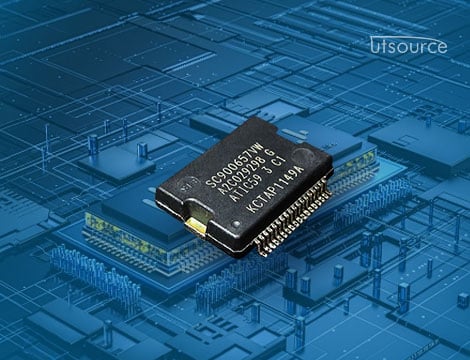
The A2C029298 is an I2C-based digital temperature sensor, offering precise and reliable readings with low power consumption. It is ideal for a variety of DIY projects requiring accurate temperature measurement. In this project, we’ll design a system that allows users to monitor real-time temperature data on a display and trigger actions when certain temperature thresholds are crossed.
The focus of this project will be on the hardware design, wiring, and calibration, leaving out code in favor of providing a clear understanding of the circuit and the logic behind the system. Let’s get started!
Why Use the A2C029298?
The A2C029298 is a precision digital temperature sensor with the following key features that make it ideal for DIY projects:
· I2C Interface: This allows easy communication between the sensor and a microcontroller, minimizing wiring complexity and enabling the use of multiple sensors on a single bus.
· High Accuracy: The A2C029298 provides highly accurate temperature readings, making it suitable for applications requiring precise control.
· Low Power: With low power consumption, this sensor is perfect for battery-operated devices or low-energy systems.
· Wide Operating Range: It can measure temperatures across a wide range, typically from -40°C to +125°C, allowing for a variety of environmental applications.
· Compact Size: Its small form factor makes it easy to integrate into compact projects.
These advantages make the A2C029298 sensor an excellent choice for any DIY project that requires temperature measurement.
Project Overview
In this project, we will design a Smart Temperature Monitoring System that utilizes the A2C029298 temperature sensor. The system will monitor the ambient temperature, display it on an LCD screen, and trigger an alert (e.g., an LED or buzzer) when a specified temperature threshold is crossed.
The design will consist of:
1. A temperature measurement system using the A2C029298 sensor.
2. An I2C interface to read temperature data from the sensor.
3. A microcontroller (e.g., Arduino or ESP32) to process the data.
4. A LCD display (16x2 or 20x4) to display real-time temperature readings.
5. A threshold alert mechanism that activates a buzzer or LED when the temperature exceeds or falls below a preset value.
Components Required
For this project, we will need the following components:
· A2C029298 Temperature Sensor: This will measure the ambient temperature.
· Microcontroller: An Arduino Uno or ESP32 will work well for this project.
· I2C LCD Display: A 16x2 LCD or 20x4 LCD with I2C interface for displaying the temperature.
· LED: For a visual alert when the temperature crosses the threshold.
· Buzzer: For an audible alert.
· Resistors: For current limiting in the LED circuit (typically 220Ω).
· Push Button: To manually reset or adjust the threshold temperature.
· Breadboard and Jumper Wires: For prototyping and connecting the components.
· Power Supply: A 5V power supply for the microcontroller and sensors.
Step 1: Circuit Design
Before diving into the assembly, let’s discuss the circuit design in detail.
Wiring the A2C029298 Temperature Sensor
The A2C029298 communicates via the I2C protocol, which requires only two data lines to interact with the microcontroller:
· SDA (Data Line): Used for sending data between the sensor and the microcontroller.
· SCL (Clock Line): Used to synchronize data transmission.
The sensor requires a 3.3V or 5V supply, which makes it compatible with most common microcontrollers. You should connect:
· The VCC pin of the A2C029298 to 5V (or 3.3V, depending on your microcontroller).
· The GND pin to ground.
· The SDA pin to the SDA pin of the microcontroller.
· The SCL pin to the SCL pin of the microcontroller.
Since the A2C029298 is an I2C device, it can share the same SDA and SCL bus with other I2C components, such as the LCD.
Wiring the LCD Display
The I2C LCD typically has four pins: VCC, GND, SDA, and SCL. These pins are wired as follows:
· VCC to 5V (or 3.3V if using a 3.3V system).
· GND to ground.
· SDA to the same SDA line as the A2C029298.
· SCL to the same SCL line as the A2C029298.
This shared connection will allow both the temperature sensor and the LCD to communicate over the same I2C bus.
Wiring the LED and Buzzer
To provide a temperature threshold alert, you can use an LED or a buzzer:
· The LED is connected to a digital pin (e.g., Pin 13) of the microcontroller, through a 220Ω resistor to limit current.
· The buzzer can be connected to another digital pin (e.g., Pin 8) of the microcontroller, with a current-limiting resistor if necessary.
When the temperature exceeds or falls below a preset threshold, the microcontroller will turn on the LED or activate the buzzer as an alert.
Manual Threshold Adjustment (Optional)
You can add a push button to adjust the temperature threshold. This allows you to change the alert trigger temperature without needing to modify the code. The button can be connected to a digital input pin and configured to change the threshold value each time it is pressed.
Step 2: Assembling the Circuit
1. Build the Base Circuit
Begin by placing all components on a breadboard:
· Connect the A2C029298 sensor and the I2C LCD to the microcontroller, following the wiring instructions provided earlier.
· Connect the LED and buzzer to their respective pins.
· If you are using a push button for manual threshold adjustment, wire it to one of the input pins on the microcontroller.
2. Check the Connections
Before applying power, double-check the following:
· Ensure that all SDA and SCL lines are properly connected.
· Verify that the VCC and GND pins of the components are correctly wired.
· Check the LED and buzzer connections for proper current-limiting resistors.
Once the circuit is correctly assembled, power it up using a 5V power supply.
Step 3: Testing the System
1. Display Temperature on the LCD
When powered on, the system should begin reading data from the A2C029298 sensor and displaying the temperature on the LCD. The temperature reading should be updated periodically (e.g., every 1 second). The LCD will show a format like:

If the temperature is within the normal range, the LED should remain off, and the buzzer should not be activated.
2. Trigger an Alert When the Temperature Threshold Is Crossed
Next, set a threshold temperature (e.g., 30°C). If the temperature exceeds this threshold, the microcontroller should trigger the LED or buzzer. This provides an audible or visual alert that the temperature is too high.
If you have a push button connected for manual threshold adjustment, pressing the button should change the threshold temperature. For instance, you can configure the system so that each press of the button increases or decreases the threshold by 5°C.
3. Testing the Manual Adjustment
Test the push button by pressing it and observing how the threshold temperature changes on the LCD. The system should update the alert trigger point accordingly.
Step 4: Fine-Tuning and Calibration
Once the system is assembled and working, you may want to calibrate the temperature readings. The A2C029298 is factory calibrated, but small adjustments might be necessary depending on your use case or sensor placement.
You can fine-tune the system by:
· Comparing the readings to a known accurate thermometer.
· Adjusting the threshold values based on your specific needs.
Conclusion
In this DIY project, we successfully built a Smart Temperature Monitoring System using the A2C029298 temperature sensor. This system provides accurate real-time temperature data, displays it on an LCD, and triggers an alert when the temperature exceeds or falls below a specified threshold.
The project demonstrates how easy it is to integrate I2C components into a DIY system, providing a powerful and flexible solution for temperature-sensitive applications. With simple adjustments, this system can be expanded for use in home automation, weather stations, or industrial monitoring. The possibilities are endless!
By using the A2C029298 sensor and a microcontroller, we can create a wide range of intelligent temperature monitoring systems for various DIY projects.
www.utsource.net