A Serial Port Redirector (SPR) enables legacy serial devices to communicate over modern networks by redirecting their data via TCP/IP. This allows remote access and control of devices using serial ports, making it ideal for integrating older equipment with current systems across various industries like automation, healthcare, and retail.
In an increasingly networked world, the need to connect legacy serial devices to modern systems remains critical across various industries. While many legacy devices still communicate via RS-232, RS-422, or RS-485 serial ports, most modern computers lack these interfaces. This is where a Serial Port Redirector (SPR) comes into play. By redirecting serial communication over IP networks, SPRs enable seamless integration of serial devices with contemporary systems, extending the life of valuable equipment and facilitating modern data handling practices.
What is a Serial Port Redirector?
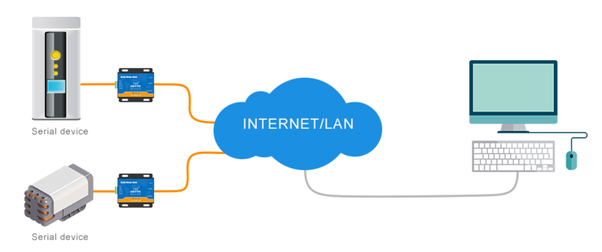
A Serial Port Redirector is a software or hardware solution that allows serial devices to communicate over a network as if they were connected directly to a physical COM port on a local machine. This redirection is typically achieved by encapsulating serial data within TCP/IP packets, which are then transmitted over a network to a remote device or system.
The redirected serial port can be accessed by applications as if it were a local COM port, making it possible to manage and control serial devices from anywhere in the world.
How Does a Serial Port Redirector Work?
A Serial Port Redirector typically involves two main components:
- Server Side: This component resides on the machine or device where the physical serial port is located. It captures the data from the serial device and transmits it over the network using TCP/IP.
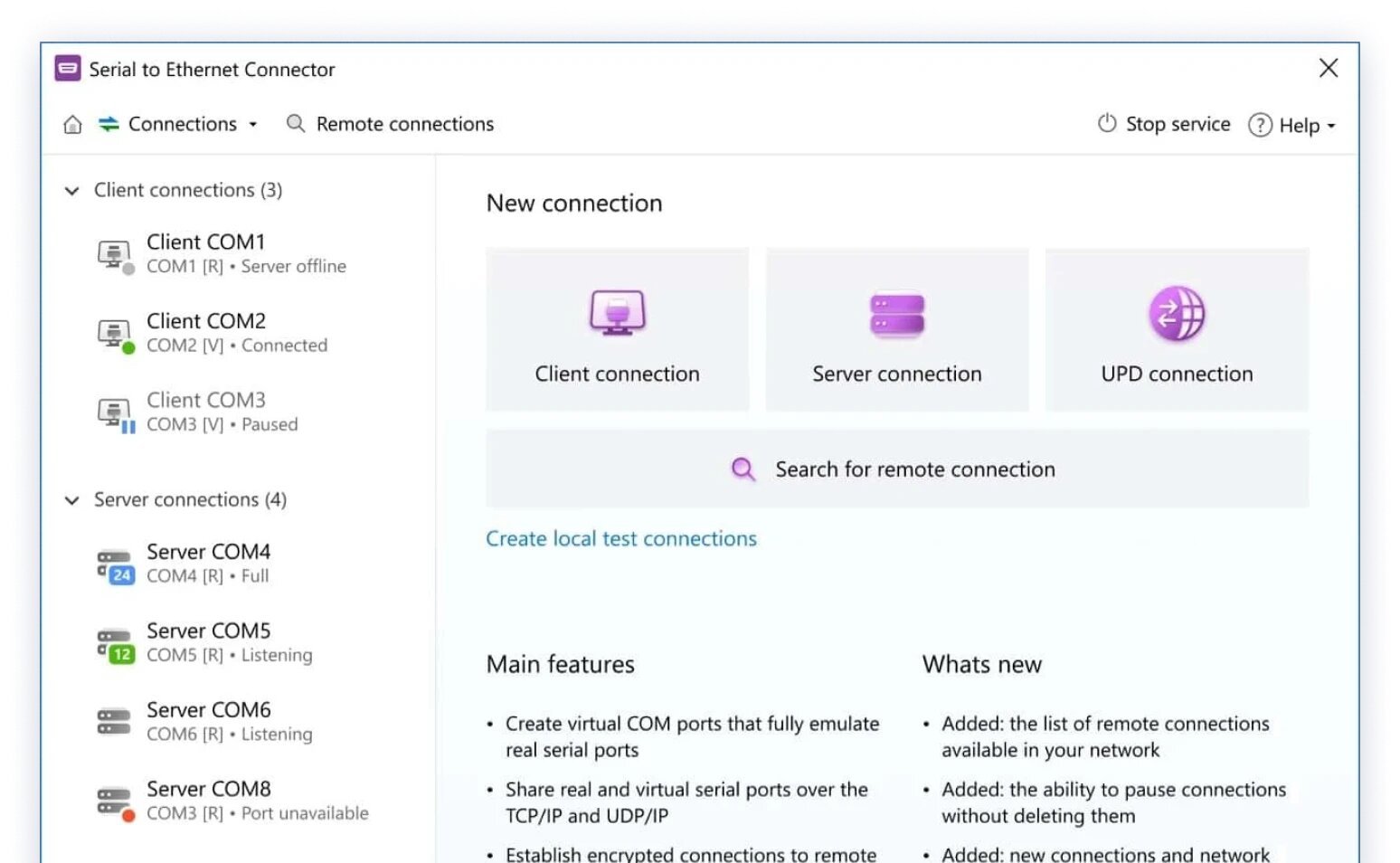
- Client Side: This component runs on a remote machine, receiving the data from the network and presenting it to the operating system as if it were coming from a local COM port.
The server-side component is often embedded in a serial device server or implemented in software running on a computer. The client-side component is usually software that creates virtual COM ports on the remote machine.
Benefits of Using a Serial Port Redirector
- Remote Access: SPRs enable remote management of serial devices, which is particularly useful in scenarios where the devices are located in hard-to-reach or geographically dispersed locations.
- Legacy System Integration: By redirecting serial ports over a network, SPRs allow legacy serial devices to interface with modern systems, prolonging their usability and ensuring continued operation without the need for hardware upgrades.
- Cost Efficiency: Deploying an SPR can be more cost-effective than purchasing new equipment or retrofitting legacy devices with newer interfaces.
- Scalability: SPRs can be scaled across large networks, making them suitable for applications where numerous serial devices need to be managed centrally.
Practical Examples of Serial Port Redirector Applications
- Industrial Automation: Many industrial machines and sensors use serial communication for control and data logging. A Serial Port Redirector allows these devices to be monitored and controlled from a central location, improving efficiency and reducing the need for on-site visits.
- Example: A factory uses a network of legacy PLCs (Programmable Logic Controllers) connected via RS-232. By implementing a Serial Port Redirector, the factory can monitor and configure these PLCs from a central control room or even from a remote location, improving operational efficiency.
- Healthcare: Medical devices like patient monitors and laboratory equipment often communicate using serial interfaces. With a Serial Port Redirector, these devices can be integrated into modern Electronic Health Record (EHR) systems, ensuring data is centrally stored and accessible to healthcare providers.
- Example: A hospital has a legacy patient monitoring system that uses serial ports for communication. By using an SPR, the hospital can redirect data to a centralized server, allowing healthcare professionals to access patient data remotely and in real time.
- Retail and Point of Sale (POS) Systems: Many POS systems, barcode scanners, and receipt printers still use serial communication. An SPR enables these devices to be managed over a network, ensuring they can be integrated with modern inventory management and sales reporting systems.
- Example: A retail chain uses older barcode scanners and receipt printers with serial connections. By employing an SPR, the devices are connected to a central server over the network, allowing for real-time inventory updates and sales tracking without replacing existing hardware.
- Energy Management: In energy management systems, various devices such as meters and controllers use serial communication to transmit data. An SPR can redirect this data to a centralized monitoring system, facilitating better energy usage analysis and control.
- Example: A utility company uses serial-connected meters to monitor energy consumption across different locations. By using an SPR, the company can redirect data from these meters to a central server, enabling comprehensive analysis and reporting from a single location.
Conclusion
A Serial Port Redirector is a powerful tool that bridges the gap between legacy serial devices and modern networked systems. By enabling serial communication over IP networks, SPRs offer remote access, scalability, and cost savings, ensuring that valuable legacy equipment can continue to function in today’s technologically advanced environments. Whether in industrial automation, healthcare, retail, or energy management, SPRs provide a practical solution to extending the life of serial devices and integrating them into modern workflows.